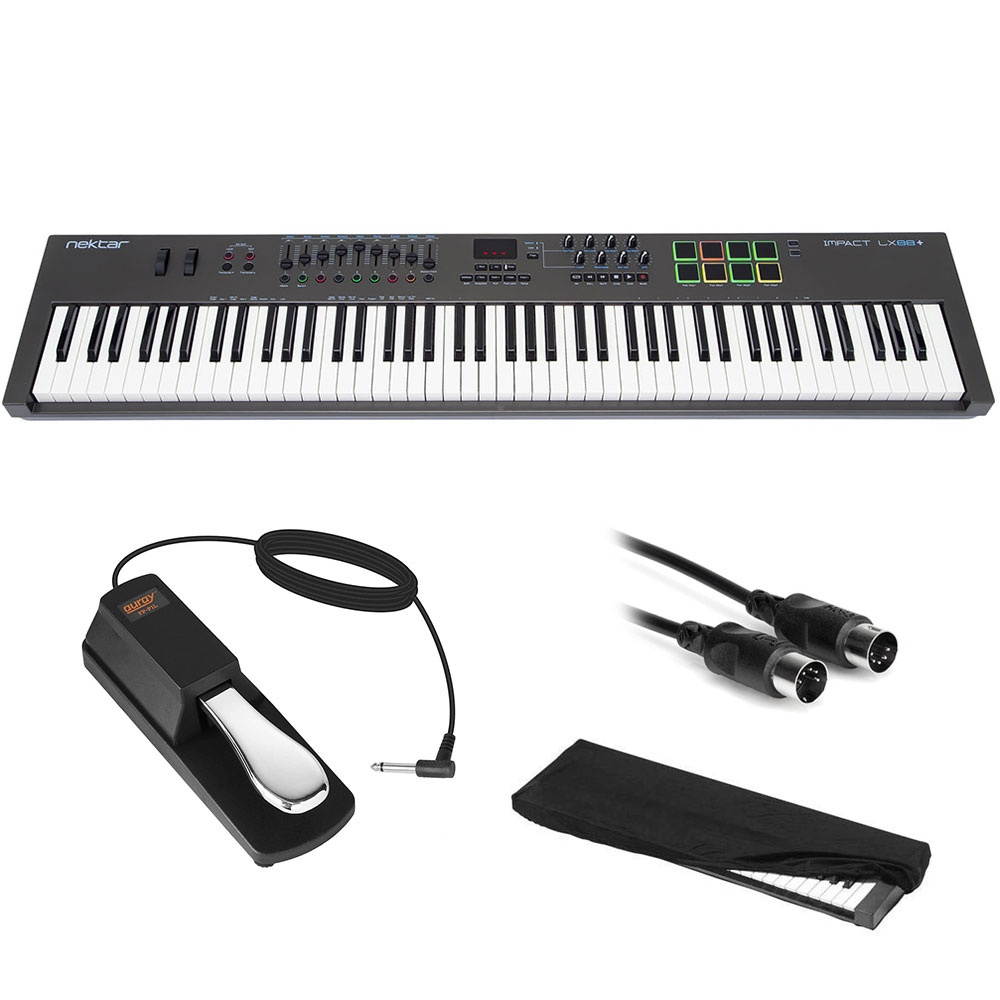
Nektar Technology Impact LX88+ USB MIDI Controller Keyboard Bundle with Piano-Style Sustain Pedal, 10' MIDI Cable, and Large Keyboard Dust Cover
The Impact LX88+ from Nektar Technology is an 88-note, velocity-sensitive, semi-weighted action keyboard, with medium tension, which amongst other things, provides more reach for the performing musician. The full-size, piano-style keys are covered to protect against dirt and dust, and the keyboard can be set to one of four available velocity curves, along with three fixed-velocity levels for instances where consistent output is required. It features intelligent mapping for manipulating integral aspects of all major DAWs from the controller, while for those preferring to control MIDI hardware, a build-in MIDI Out port is provided, as well as extensive MIDI programing options. The keyboard can send on up to three zones at the same time. Octave and transpose buttons are available, as well as pitch-bend and modulation wheels. Eight velocity-sensitive pads allow you to finger-drum in the MPC style, though each pad can be assigned any MIDI note number or MIDI CC message for use as MIDI-trigger or toggle buttons. The keyboard includes the Bitwig 8-Track DAW for music creation, and allows for optional connection with devices.This bundle includes a piano-style sustain pedal with a high-quality, rugged build. The unit features switchable polarity, making it compatible with most electronic keyboards that have a 1/4" foot-switch input jack. Plus a MIDI to MIDI Standard Cable and a large Stretchy Keyboard Dust Cover, large.
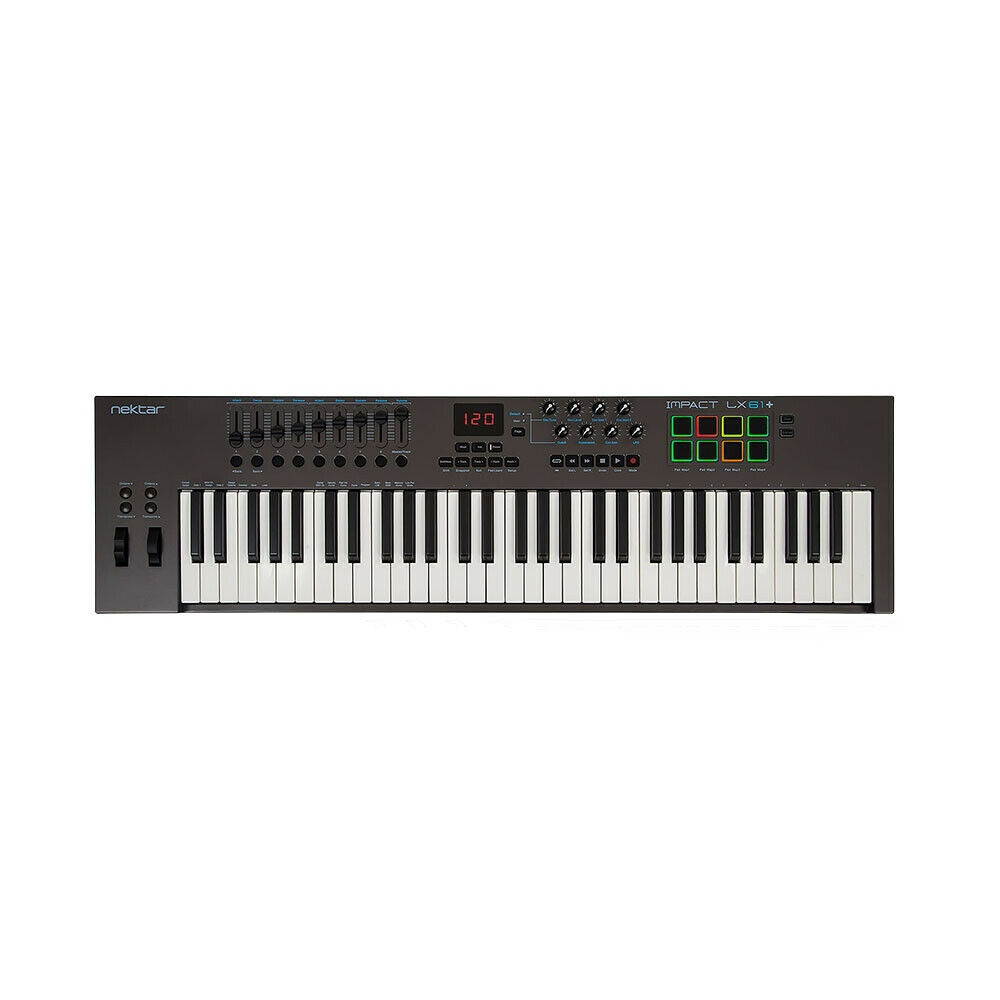
Nektar Impact LX61+ Plus 61-Key USB MIDI Controller Keyboard
Nektar Impact LX61+ Plus 61-Key USB MIDI Controller Keyboard condition: New Brand: Nektar MPN: LX61-PLUS
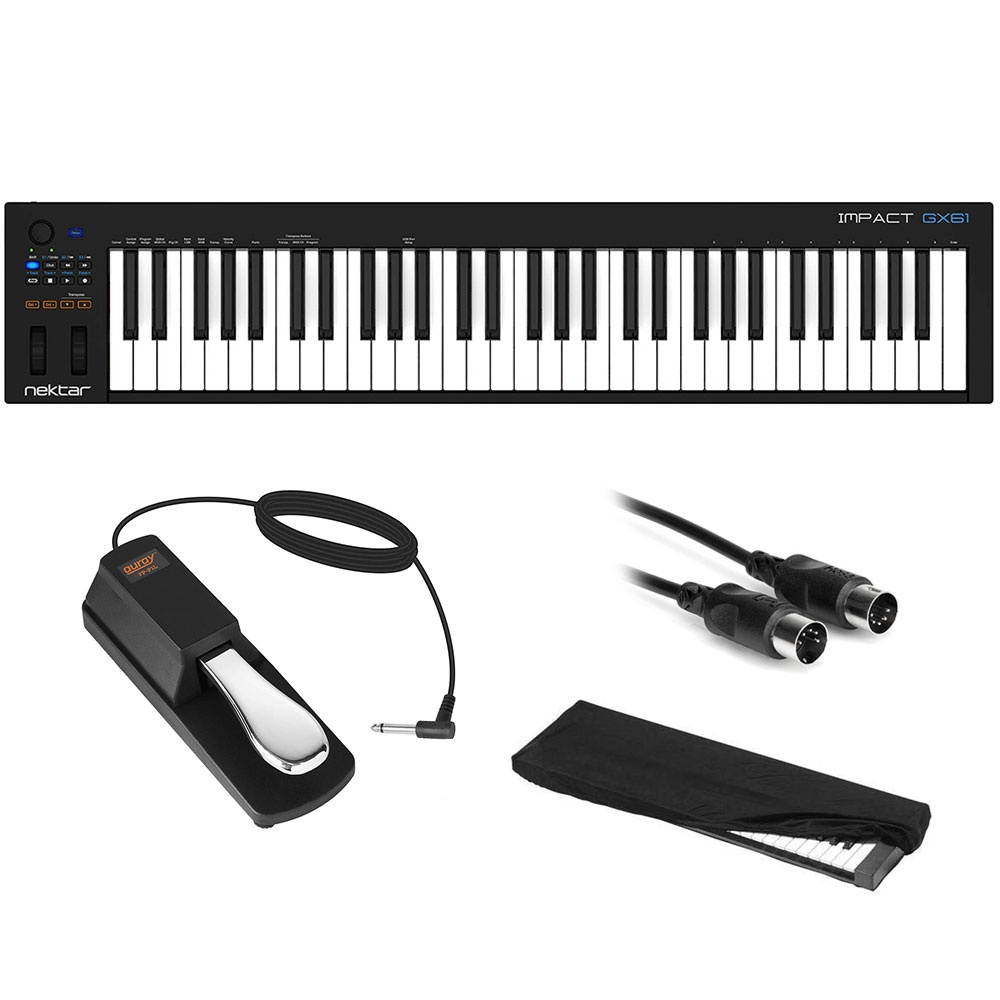
Nektar 61-Key Impact GX61 Controller Keyboard Bundle with Piano-Style Sustain Pedal, 10' MIDI Cable, and Medium Keyboard Dust Cover
The GX61 from Nektar is 61-key USB MIDI keyboard controller featuring a pitch-bend wheel, modulation wheel, and footswitch socket. Two multi-colored octave buttons enable shifting the keyboard range by -3 or +4 octaves, with the LED colors showing exact status. Dedicated transpose buttons allow for shifting the keyboard range by +/- 12 semitones. The buttons can quickly be re-purposed to change the global MIDI channel, or send program messages. Additionally an assignable potentiometer provides control over any MIDI parameter, which by default controls mixer volume. Eight buttons provide DAW control, and when combined with Nektar DAW Integration, extend functionality to include control over transport and a host of other important DAW functions. The buttons can also be assigned to MIDI messages for use with any MIDI software that's not supported by Nektar DAW Integration. A primary and a secondary message, accessed via the shift button, can be programmed for each of seven buttons, delivering a total of fourteen programmable options. Each of the fourteen assignable MIDI buttons, the modulation wheel, footswitch, and the big control knob can be assigned to send out MIDI CC messages. The assignable buttons can additionally be configured to send out a program message or MMC transport control. Transport controls with the ability to go to and set locators, track navigation, volume control, launching windows and patch navigation are also available. Bitwig 8-Track software is included to provide a ready-to-create solution.This bundle includes a piano-style sustain pedal with a high-quality, rugged build. The unit features switchable polarity, making it compatible with most electronic keyboards that have a 1/4" foot-switch input jack. Plus a MIDI to MIDI Standard Cable and a large Stretchy Keyboard Dust Cover, large.
Nektar Impact LX61+ Plus 61-Key USB MIDI Controller Music Production Keyboard
Nektar Impact LX61+ Plus 61-Key USB MIDI Controller Music Production Keyboard condition: New Brand: NektarMPN: LX61-PLUS
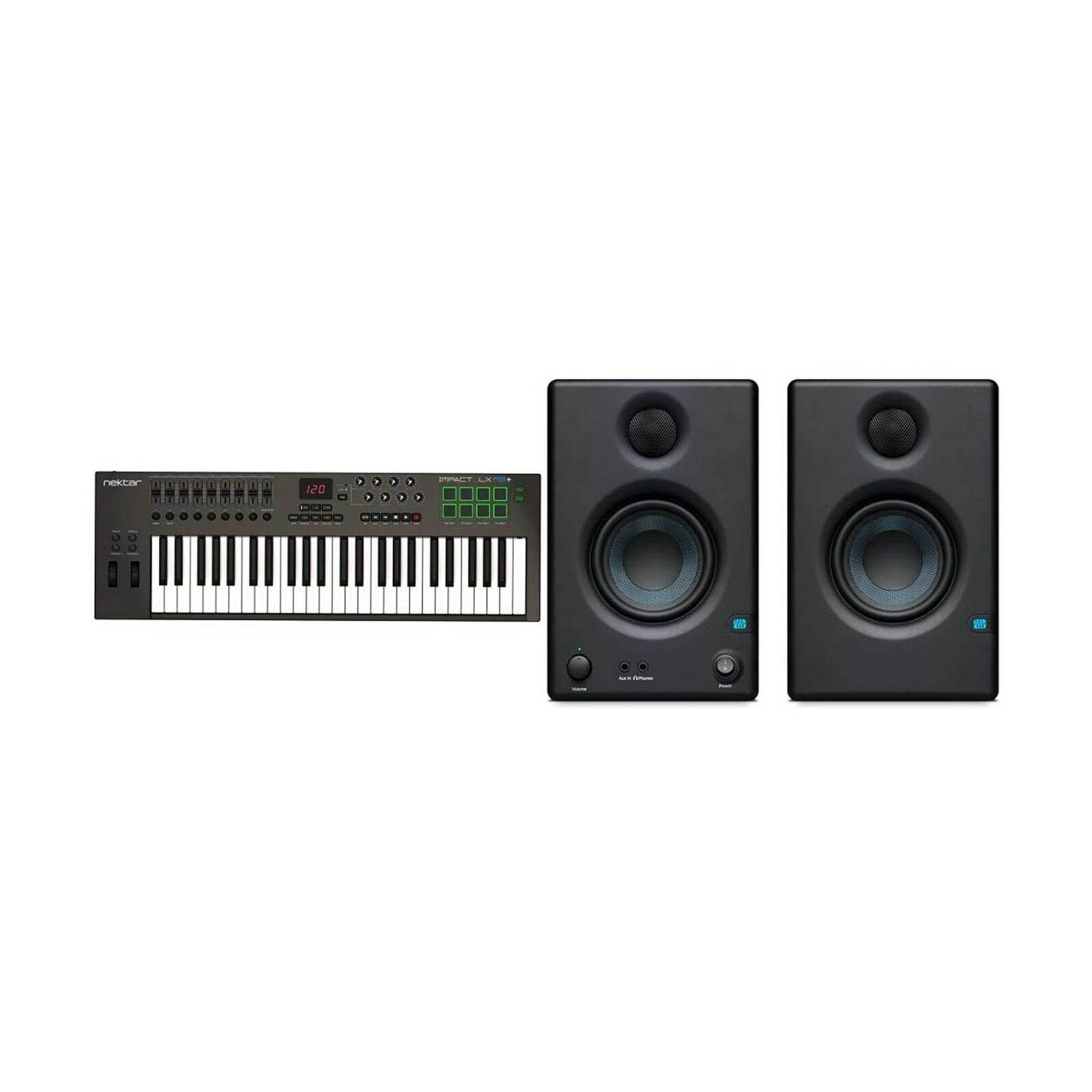
Nektar Impact LX49+ Keyboard Controller, Multicolored & Presonus Eris E3.5-3....
Nektar Impact LX49+ Keyboard Controller, Multicolored & Presonus Eris E3.5-3.... condition: New MPN: Does not applyBrand: NektarEAN: Does not apply
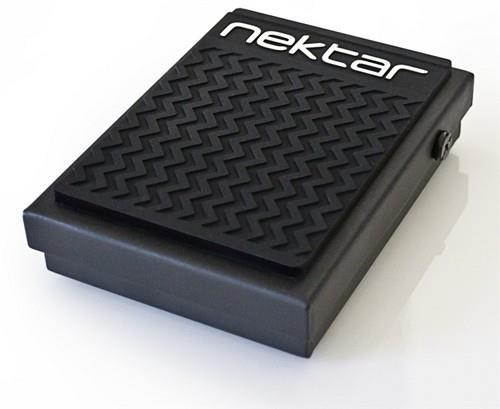
Nektar Nektar NP-1 Universal foot switch pedal
The Nektar NP-1 universal foot switch pedal is solid, rugged and perfect for home, studio and stage. & nbsp; Rubber gripping holds it in place and a polarity switch ensures that it will work with any keyboard or electronic product that requires a foot switch. & nbsp; A 6 & #39; cable with quarter inch TS jack allows you to place your pedal where it needs to be. Features: All metal constructionSwitchable polarityMounted rubber foot grip6 & #39; cable with 1/4" TS jack
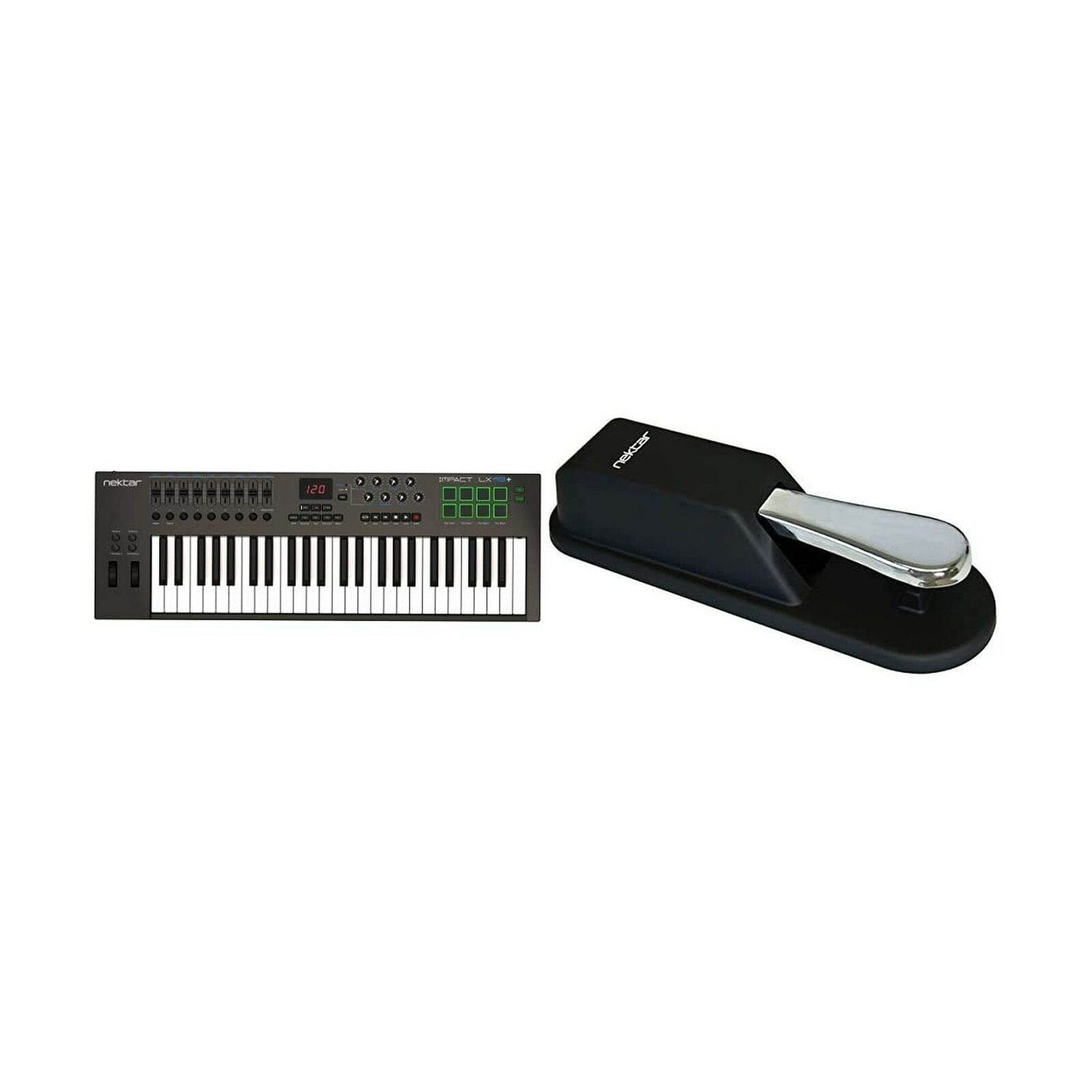
Nektar Impact LX49+ Keyboard Controller, Multicolored & Sustain Pedal, 3.15 x...
Nektar Impact LX49+ Keyboard Controller, Multicolored & Sustain Pedal, 3.15 x... condition: New MPN: Does not applyBrand: NektarEAN: Does not apply
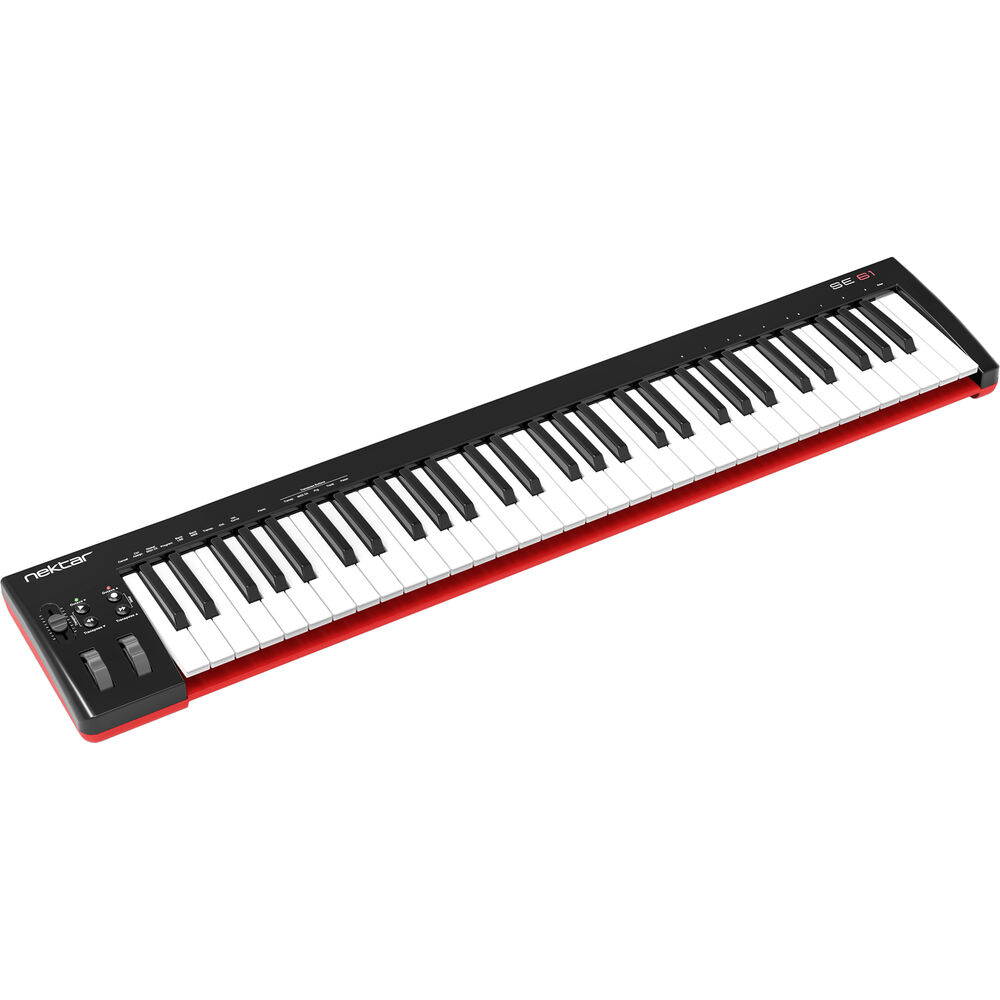
Nektar Technology SE61 61-Keys DAW USB MIDI Keyboard Piano Controller with Velocity Sensitive Full-Size Keys (Synth-Action) for Studio Music Productio
Designed for studio and live performance setups, the Nektar SE61 is a full-sized 49-note velocity-sensitive MIDI controller keyboard. The synth action keybed allows you to play with expression and a defined, firm feel. There is a choice of four velocity curves (plus 3 fixed ones). Four buttons and one MIDI-assignable fader to the left of the keys make the SE61 even more flexible: Shift the keyboard up or down -3 to +4 octaves with multicolored LED indicators showing the exact status. Or, transpose the keys ±12 semitones with the transpose buttons right below. With the Nektar DAW Integration, the SE61's buttons can be reassigned to switch MIDI channels, change MIDI programs, or select tracks and browse patches. What's more, pressing a key combination changes the Octave and Transpose buttons' function to send out MMC transport functions. So, you can activate Start, Stop, and Record directly from your keyboard. Custom MIDI assignments can be made to the MIDI fader, modulation wheel, and footswitch pedal. The changes are stored, so the next time you power up, you can pick up where you left off. There is direct support for most major DAWs including Bitwig, Cubase, Garageband, Logic, Nuendo, Digital Performer, Mixcraft, Reason, Reaper, Sonar, and Studio One. The Nektar SE61 is USB bus-powered and ships with a USB cable and a license for Bitwig 8-Track.
Box Contains
Nektar Technology SE61 USB MIDI Controller Keyboard
Bitwig 8-Track License Card
USB Cable
1-Year Warranty
Nektar Technology Impact LX61+ 61-Key USB MIDI Controller Keyboard Bundle with Piano-Style Sustain Pedal, 10' and Medium Keyboard Dust Cover
The Impact LX61+ from Nektar Technology Bundle is a 61-key, velocity-sensitive USB controller keyboard featuring intelligent mapping, allowing you to manipulate integral aspects of all major DAWs from the controller. Its piano-style keys respond with a medium tension, and four velocity curves are available along with three fixed-velocity levels for instances where consistent output is required. Octave and transpose buttons are available, as well as pitch-bend and modulation wheels. Eight velocity-sensitive pads allow you to finger-drum in the MPC style, though each pad can be assigned any MIDI note number or MIDI CC message for use as MIDI-trigger or toggle buttons. This keyboard includes the Bitwig 8-Track DAW for music creation, and allows for optional connection with iOS devices. Nine faders, nine MIDI buttons and eight encoders line the top of the control panel. Each control is fully programmable to send any MIDI CC message for use with hardware or software MIDI products. Used with Nektar DAW integration, the controls provide seamless but flexible operation over most DAWs. Personalized settings can be stored in any of the five Impact LX+ presets for recall at any time. If you switch Null on, any parameter values are stored when you change presets so you avoid parameter jumping.This bundle includes a piano-style sustain pedal with a high-quality, rugged build. The unit features switchable polarity, making it compatible with most electronic keyboards that have a 1/4" foot-switch input jack. Plus medium Stretchy Keyboard Dust Cover, medium.
Box Contains
Nektar Technology Impact LX61+ 61-Key USB MIDI Controller Keyboard
Universal Piano-Style Sustain Pedal
Stretchy Keyboard Dust Cover (Medium)
USB Cable
1-Year Warranty
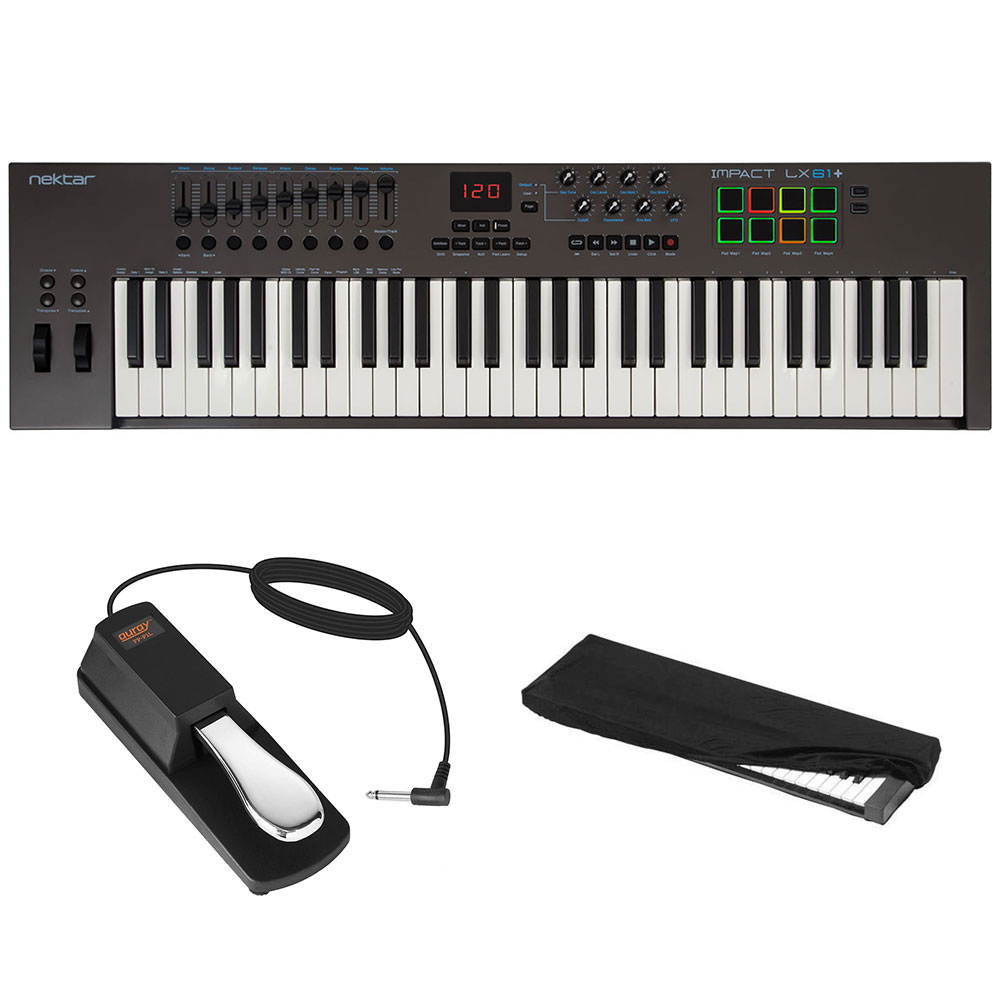
Nektar, 88-Key (Impact LX88+) & Nektar Sustain Pedal, 3.15 x 3.86 x 11.42 inc...
Nektar, 88-Key (Impact LX88+) & Nektar Sustain Pedal, 3.15 x 3.86 x 11.42 inc... condition: New MPN: Does not applyBrand: NektarEAN: Does not apply
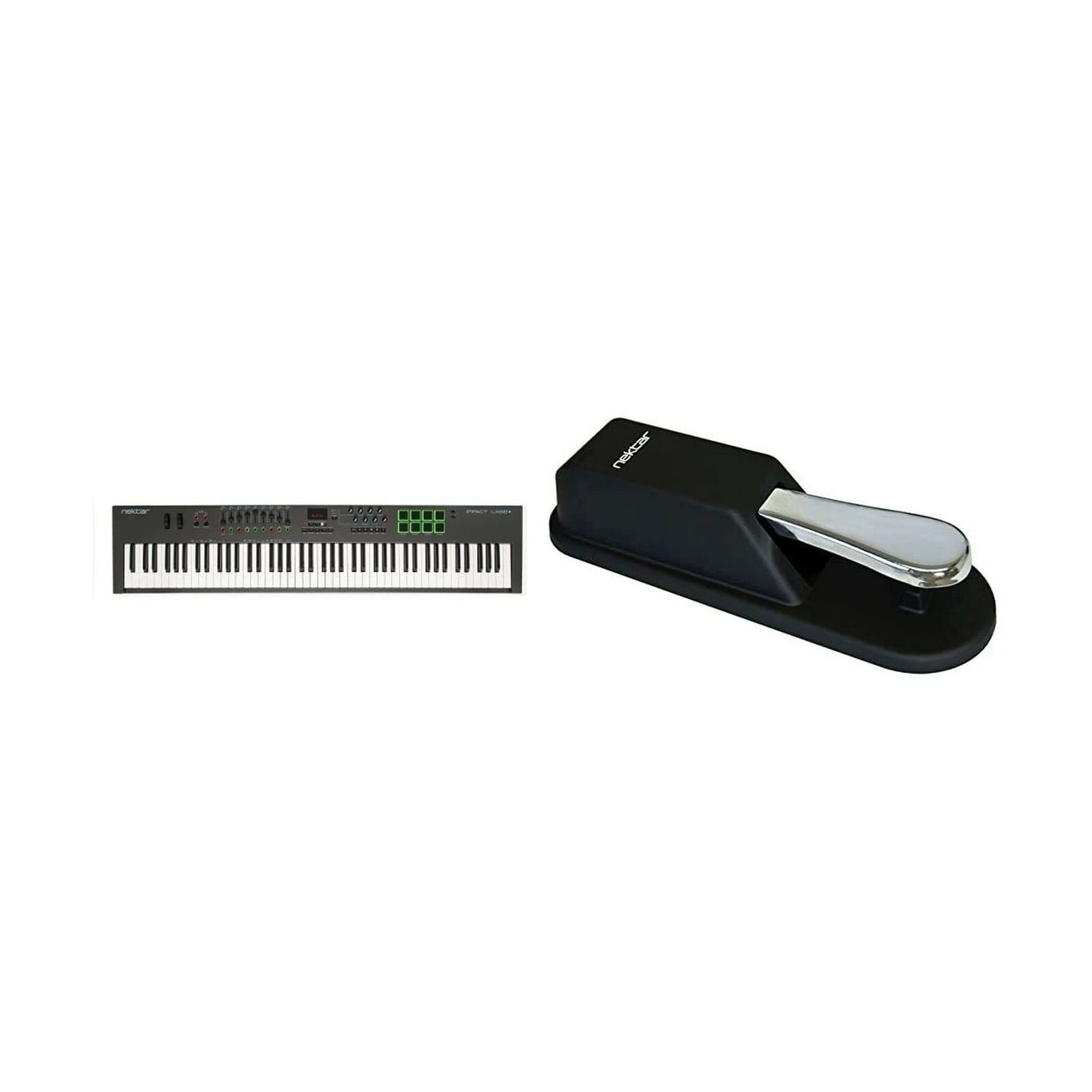
Nektar SE49 49-Key USB MIDI Controller Keyboard
The Nektar SE49 USB MIDI controller keyboard has all the features you need to start making music with your computer. It is compatible with any MIDI music software, sports a full-size keyboard with velocity, includes all the performance controls you & #39; d expect, and even has Nektar DAW control features. Simply plug the supplied USB-cable in and go: Capture your ideas while they are fresh! Transport control via secondary button function (requires Nektar DAW Integration) How about transport control, level mixing and track selection directly from the SE49? Take control of your DAW & #39; s most important functions with the Nektar DAW Integration software! Of course, the SE49 works with any MIDI software, but with custom Nektar DAW Integration you can do even more: Use the Transpose buttons for track or patch change, always have the currently selected track & #39; s volume assigned to the fader and turn the Octave and Transpose buttons into Play, Stop, Record, and Rewind buttons. Compatible with Apple iOS (requires camera kit) SE49 keyboards are USB class compliant and don & #39; t require a driver to operate. Installation and connection is easy; just plug the keyboard in to a USB port on your computer. You can also connect an Impact SE49 keyboard to an iOS device using the optional Apple USB camera connection kit. A 1/4" input jack allows you to add a foot switch pedal for sustain or sending MIDI messages. Features: 49 velocity-sensitive full-size keys (synth-action)4 velocity curves + 3 fixed ones4 buttons: Octave Up/Down, Transpose Up/Down30 mm volume faderTransport control via secondary button functionWorks with any DAW or MIDI music software on OS X, Windows and Apple iOSConnections: USB port (USB-powered)1/4" TS jack foot switch inputIncludes USB cable, Bitwig Studio 8-Track, and a quick start quide Get your Nektar SE49 USB MIDI Controller today at the guaranteed lowest price from Sam Ash with our 45-day return and 60-day price protection policy.
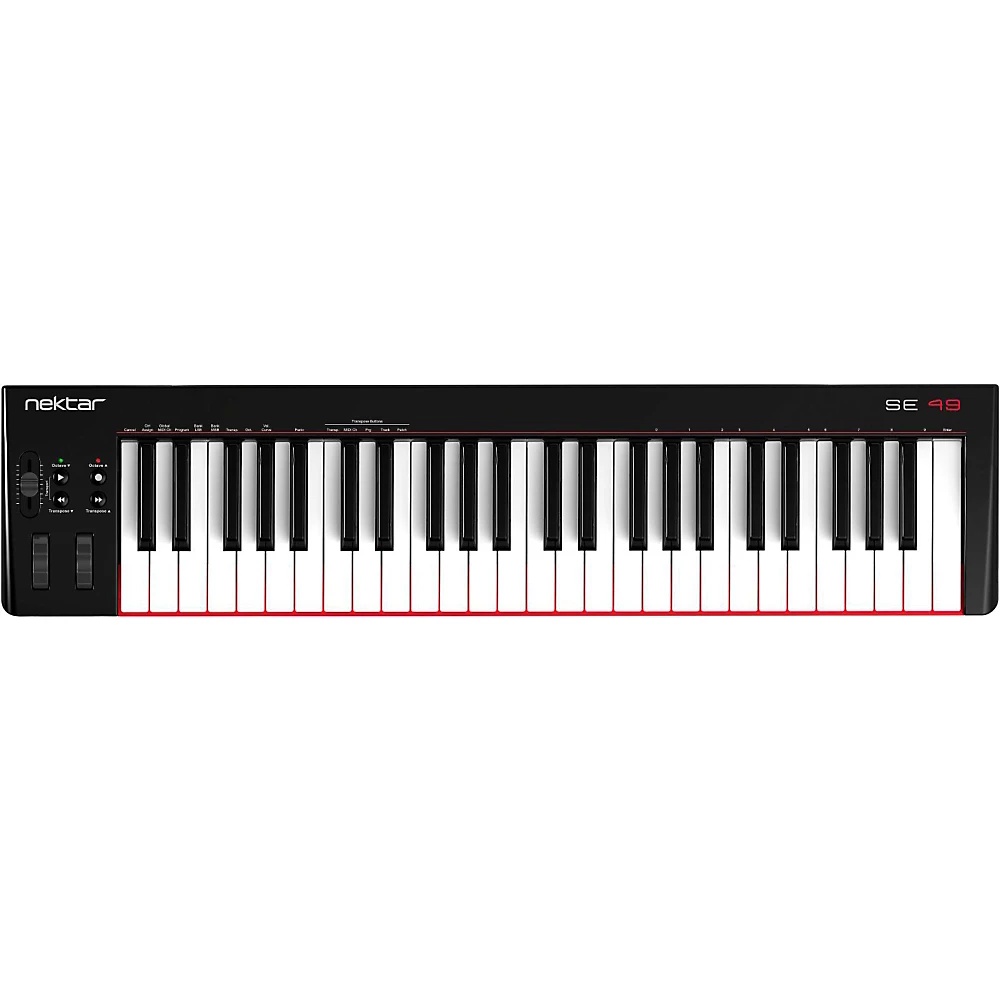
Nektar Impact GX61 MIDI Controller (61 Keys)
Featuring a 49-note (4 octave) or 61-note (5 octave) keyboard, pitch-bend wheel, modulation wheel and foot switch socket. Two multi-colored octave buttons enable shifting the keyboard range up or down -3/+4 octaves with the LED colors changing to show the exact status, Impact GX are well equipped to deliver a great workflow. Nektar DAW Integration for many of the most commonly used DAWs makes it easy to get going, and a pleasure to use. With Impact GX, your controller keyboard is part of your system, giving you the creative freedom to compose, perform and play, without having to reach for your mouse constantly. TRANSPORT - EXTENDED! Eight buttons intended for DAW control, are at the center of the Impact GX. Essential tasks like & nbsp; transport activation or navigating tracks are highly repetitive and reaching for the mouse every time, can kill any seed of inspiration. Used with Nektar DAW integration, the 8 buttons extend functionality to include control over transport and a host of other important DAW functions, right from Impact GX. NEKTAR DAW INTEGRATION With Nektar DAW integration, the hard work is done, so you don & #39; t have to. Once installation is complete, Impact GX offers an extended feature set, normally unavailable on a compact controller. Transport control with ability to goto and set locators, track navigation, volume control, launching windows and patch navigation is all available right from Impact GX. MIDI CONTROL & SETUP FUNCTIONSEach of the 14 assignable MIDI buttons, the modulation wheel, foot switch and of course the big control knob, can be assigned to send out MIDI cc messages. The assignable buttons (14) can in addition be configured to send out Program message or MMC transport control. MMC (MIDI Machine Control) is often supported by DAWs that don & #39; t allow for advanced integration, so with this option Impact GX covers all the bases. The Setup menu also enables Program messages, Bank LSB/MSB to be sent out on the fly as well as settings for selecting one of the 4 velocity curves, setting the Global MIDI Channel and assigning the transpose buttons. CONNECTIVITY & APPLE iOSAs a low powered USB device, Impact GX works with all USB devices that feature a Class compliant MIDI driver. That includes all version of Windows from XP and higher, Apple OS X 10.5 and higher plus Linux (as long as a USB MIDI driver package is installed). And if you are often on the move you can easily hook your Impact GX keyboard to an Apple iPad using the iPad’s optional USB camera connection kit (optional). Of course the Impact GX is powered by the iPad so you can work away for as long as your iPad remains charged. BITWIG 8-TRACK INCLUDEDBitwig 8-Track in included with every Impact GX so you can start producing, performing, and designing sounds like a pro from day one. Bitwig 8-Track gives you access to over 50 software instruments and effects for use on up to 8 audio or MIDI project tracks, and you can use any 3rd party VST plug-ins you might own too if you like. The ‘Bitwig Essentials Package’, a highly versatile handpicked selection of loops, clips, and samples, is also included to help you get started. Get your Nektar Impact GX MIDI Controller today at the guaranteed lowest price from Sam Ash Direct with our 45-day return and 60-day price protection policy.
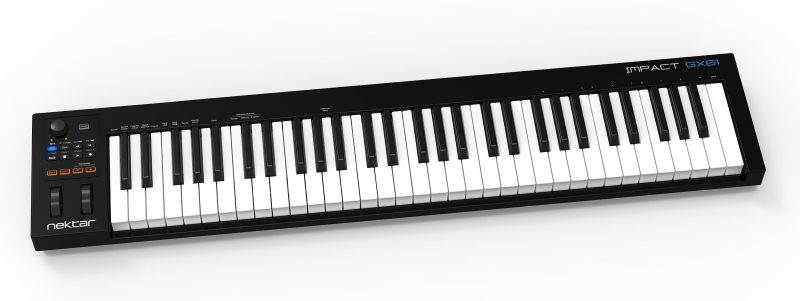
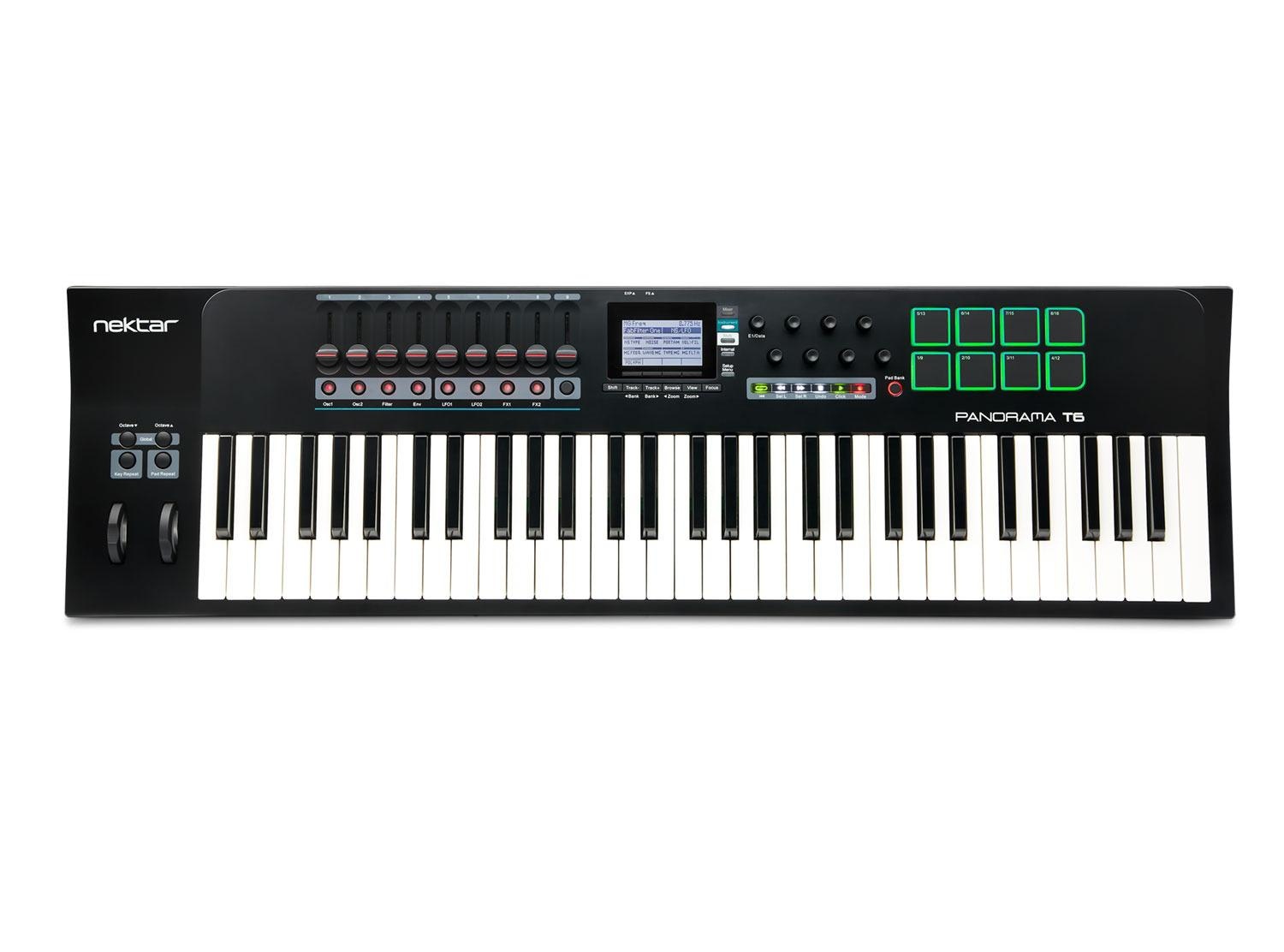
Nektar Panorama T6 61-Key USB MIDI Keyboard Controller
Nektar has created the Panorama T6-61 key MIDI Controller Keyboard for the five-finger keyboardist. The 2nd generation panorama keybed feels smooth on your fingertips while the 8 beat pads gives you the ability to create insane beats, cool effects and so much more. & nbsp; The Nektarine software is the hidden powerhouse of the T6 and can control every aspect of your plugins individually. Never have to touch your mouse again with the completely immersive hands-on control the T6 gives you in conjunction with your DAW. Integrate this keyboard into your studio and create limitlessly. 2nd Generation Panorama Keybed Strategically designed for maximum playing comfort the Panorama T6 by Nektar has a second-generation panorama synth-action key bed. Each key is dampened, then carefully placed to create a medium activation force. The 5 different velocity curves let you decide whether you want to accentuate soft or the hard playing so you can play any style of music with the right amount of passion. Set velocity using the fixed option for controls such as pitch and mode wheels. Play-two handed parts and still effortless control the modulation of your music by gently using the After-Touch stip. With the T6 MIDI keyboard control how you create. & nbsp; Hidden Powerhouse of NektarineCompletly take control over your plugins with the Nektarine software that comes with your Panorama T6 MIDI controller. As soon as your launch Nekatrine in your DAW you have complete control over all of your VST, VST3 or AU plugins. Use the knobs on this MIDI controller to change parameters setting and really get the feel for your music. Create all new parameters or edit already set ones with the easily by just dragging and dropping to assign them to controls or use Panorama & #39; s parameter learn function. Layer up to eight instrument plug-ins with Nektarine & #39; s Multi-Mode use get individual controls for each plug-in to create beyond limits. Insane Beat Making Ability Along with 61 keys, the Panorama T6 has 8 large velocity pressure-sensitive beat pads. By just lightly tapping these pads you can add ghost notes and flams to your music for an extra effect. Individually calibrate these pads to your music taste to optimize your performance. Creating new and exciting drum tones with MIDI for your music is literally as simple as 1-2-3; Activate pad learn, select a pad and play the note or sound you want and then just start creating. The pad bank button left of the pads gives you the ability to switch between two samples per pad for a total of 16 pad options! Features: 61 Key 2nd generation synth-action keyboardExpression and Pedal sockets USB and MIDI thru connective abilities 8 large velocity pressure-sensitive beat padsChord: Trigger up to 6 notes from one key or padHold: Holds played notes until deactivatedKey and pad repeat Nektar DAW integration for Bitwig, Cubase, GarageBand, Logic, Nuendo, Reason, and ReaperMCU compatible for control of almost any other VST/AU DAWNektarine and BITWIG 8-Track Included Get your Nektar Panorama T6- 61-key MIDI Controller Keyboard today at the guaranteed lowest price from Sam Ash with our 45-day return and 60-day price protection policy.
Nektar Panorama T4 49-Key USB MIDI Keyboard Controller
Panorama T4 and T6 are the first controllers to deliver Nektar-level instrument plug-in control in any VST/AU compatible DAW. Load patches directly from the keyboard and start controlling parameters immediately, with every change instantly visible on the LED display. Control any instrument plug-in with one of the many included maps or customize and create your own. Discover new performance tools like the powerful chord, hold and note repeat functions. Tweak repeat parameters, plug-in parameters and record it all in your DAW. Panorama T4 & T6 connect to most DAWs delivering track navigation, mixer and transport control with either Nektar DAW integration or MCU compatibility. Experience the unsurpassed integration of Panorama T4 and T6. Second generation Panorama keybedPanorama T4 and T6 feature a second-generation Panorama synth-action keybed. Dampened and carefully balanced across the keyboard with medium tension, which means the activation force required is in the middle of the range established for professional keyboards. Five velocity curves shift the emphasis from soft to hard, giving enough choice to cater for any playing style. A fixed option enables velocity values to be set by controls, including the wheels. The second-generation Panorama keybed is Nektar's most expressive keybed yet and features the AfterTouch strip: Easily triggered and controlled, AfterTouch makes it possible to dynamically alter tone or volume by gently applying just a bit of pressure. Beats on tapDesigned with finger drumming in mind, Panorama T4/T6's eight large velocity and pressure sensitive pads are the perfect tool for beat creation. Triggering at an extremely low threshold, they will capture ghost notes and flams as easily as you can play them. If the factory settings are not expressive enough for you, it's even possible to calibrate each pad individually for optimum performance. Each pad can be assigned any MIDI note number or MIDI cc message for use as MIDI trigger or toggle buttons – and assigning sounds couldn’t be easier: Activate Pad Learn, select a pad, play the required note or drum sound on the keyboard and assignment is done. A Pad Bank Button left to the pads gives you access to another eight pads, for a total of 16 pads within a pad map. 8 such pad maps are available for recall at any time. Key and pad repeatLocated just above the wheels are the Key Repeat and Pad Repeat buttons. Press to activate the repeat function and notes will be repeated at the set rate. Change the rate in real-time from 1/4 - 1/96 note values, change the tempo, add some swing and set an accent interval. Repeat settings for pads and keys are independent of each other, so one can be set for the drum beat and the other for an instrumentation part. The Repeat's trigger mode can be set to repeat from the point of playing a note or to sync with the beat. Clock source can either be internal or external MIDI clock. Repeat is a fun way to look for ideas and facilitate "happy accidents", regardless of whether you are adding flams to drum beats or creating big repetitive chord progressions. Instant feedbackThe custom LCD display provides crisp and clear feedback for all your settings: Here is where you select Panorama’s different modes, access global parameters and navigate your software. With DAW Integration and Nektarine, you will even see your software’s mixer and plugin parameters right there. The 4 soft buttons below the display will change their function according to the selected menu for fast access. The four mode buttons to the right of the display allow you to change from internal mode to DAW or plugin control at the touch of a button. The Multi button is reserved for Nektarine.
Nektar Impact LX+ USB MIDI Controller (88 Keys)
The Nektar Impact LX88+ offers 4 velocity curves that gradually increase in dynamics so there is a match for any playing style. If you don & #39; t need velocity, 3 fixed velocity levels cater for a consistent output. Nine 30mm faders, 9 MIDI buttons and 8 encoders are at the center of Impact LX88+ & #39; s control panel. Each control is fully programmable to send any MIDI CC message for use with hardware or software MIDI products. Buttons and controls are labeled so you don & #39; t have to remember how they are assigned. The 88 note velocity sensitive keyboard is a semi-weighted action with medium tension, full-size, piano-style keys. Impact LX88+ DAW integration currently supports Cubase, Digital Performer, FL Studio, Garageband, Logic, Nuendo, Reaper, Reason, Sonar and Studio One. For groove and beat creation, Impact LX88+ & #39; s 8 velocity sensitive pads make life easy. Calibrated to trigger at a light touch. The best part is the "Pad Learn“ feature, which allows you to just select a pad, play the note or drum sound you want on the keyboard and assignment is done. The 4 color LED illumination not only looks good but also indicate which pad map is currently loaded and can even tell you which type of MIDI message each pad sends. With Nektar DAW Integration, the pads are automatically mapped in for example Reason and Bitwig.. The two Clips and Scenes buttons are used in Bitwig to trigger...., Clips and Scenes! And in Reason, a clever control of Reason & #39; s location points create a similar experience with scenes triggering of any Reason song. Features: Premium MIDI controller with 88 note velocity sensitive synth action keyboard,, Default standard mapping of Instruments across DAWsLabeling of faders and pots show default instrument parameter assignmentsUSB Connectivity; iOS CompatibleRe-designed pads increases sensitivity dramaticallyOctave and transpose buttons,, 8 LED Hyper-Sensitive backlit pads with 4 colors Green, Orange, Yellow and Red for greater user transparencyClips and Scenes LED buttons for DAWs with clip based playback optionsConnects to iPad via Apple Camera Connection Kit (not supplied) Includes Bitwig 8-TrackGet your Nektar Impact LX88+ USB MIDI Controller today at the guaranteed lowest price from Sam Ash Direct with our 45-day return and 60-day price protection policy.
Nektar Impact GX49 MIDI Controller (49 keys)
Featuring a 49-note (4 octave) keyboard, pitch-bend wheel, modulation wheel and foot switch socket. Two multi-colored octave buttons enable shifting the keyboard range up or down -3/+4 octaves with the LED colors changing to show the exact status, Impact GX are well equipped to deliver a great workflow. Nektar DAW Integration for many of the most commonly used DAWs makes it easy to get going, and a pleasure to use. With Impact GX49, your controller keyboard is part of your system, giving you the creative freedom to compose, perform and play, without having to reach for your mouse constantly. TRANSPORT - EXTENDED! Eight buttons intended for DAW control, are at the center of the Impact GX. Essential tasks like & nbsp; transport activation or navigating tracks are highly repetitive and reaching for the mouse every time, can kill any seed of inspiration. Used with Nektar DAW integration, the 8 buttons extend functionality to include control over transport and a host of other important DAW functions, right from Impact GX. NEKTAR DAW INTEGRATION With Nektar DAW integration, the hard work is done, so you don & #39; t have to. Once installation is complete, Impact GX offers an extended feature set, normally unavailable on a compact controller. Transport control with ability to goto and set locators, track navigation, volume control, launching windows and patch navigation is all available right from Impact GX. MIDI CONTROL & SETUP FUNCTIONSEach of the 14 assignable MIDI buttons, the modulation wheel, foot switch and of course the big control knob, can be assigned to send out MIDI cc messages. The assignable buttons (14) can in addition be configured to send out Program message or MMC transport control. MMC (MIDI Machine Control) is often supported by DAWs that don & #39; t allow for advanced integration, so with this option Impact GX covers all the bases. The Setup menu also enables Program messages, Bank LSB/MSB to be sent out on the fly as well as settings for selecting one of the 4 velocity curves, setting the Global MIDI Channel and assigning the transpose buttons. CONNECTIVITY & APPLE iOSAs a low powered USB device, Impact GX works with all USB devices that feature a Class compliant MIDI driver. That includes all version of Windows from XP and higher, Apple OS X 10.5 and higher plus Linux (as long as a USB MIDI driver package is installed). And if you are often on the move you can easily hook your Impact GX keyboard to an Apple iPad using the iPad’s optional USB camera connection kit (optional). Of course the Impact GX is powered by the iPad so you can work away for as long as your iPad remains charged. BITWIG 8-TRACK INCLUDEDBitwig 8-Track in included with every Impact GX so you can start producing, performing, and designing sounds like a pro from day one. Bitwig 8-Track gives you access to over 50 software instruments and effects for use on up to 8 audio or MIDI project tracks, and you can use any 3rd party VST plug-ins you might own too if you like. The ‘Bitwig Essentials Package’, a highly versatile handpicked selection of loops, clips, and samples, is also included to help you get started right out of the box. Get your Nektar Impact GX49 MIDI Controller today at the guaranteed lowest price from Sam Ash Direct with our 45-day return and 60-day price protection policy.
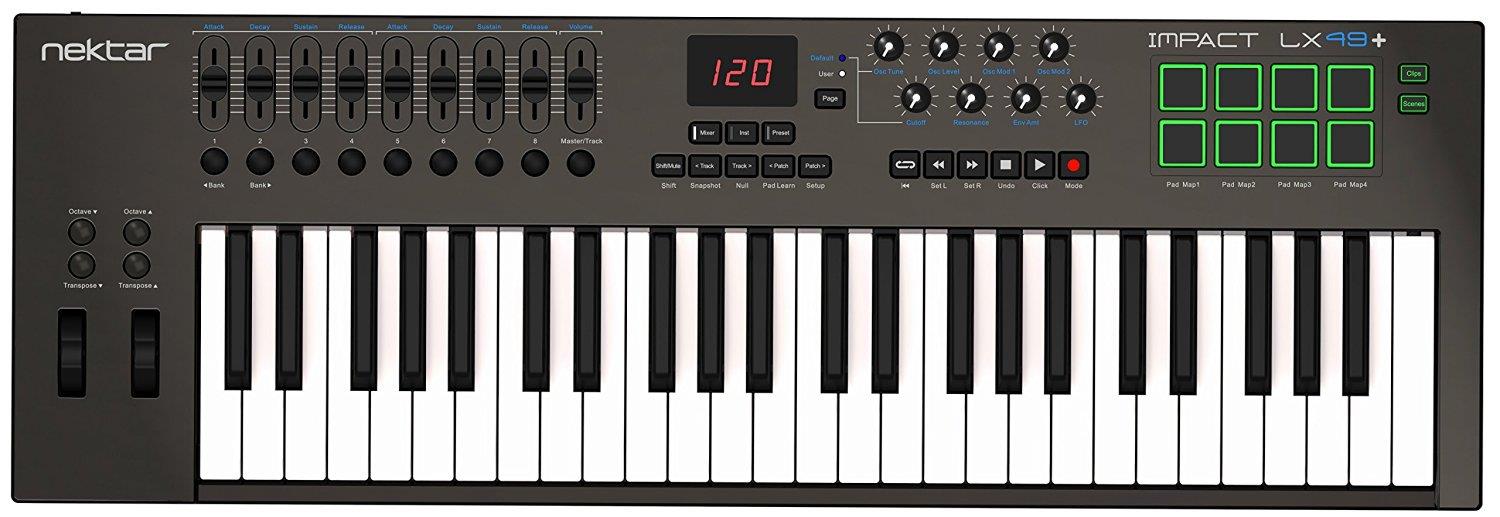
Nektar Impact LX49 Keyboard Controller
The KeyboardThe 49 or 61 note velocity sensitive keyboard is a synth action with a medium tension. The full-size, piano-style keys are covered to protect against dirt and dust while also complementing the Impact LX design. With 4 velocity curves gradually increasing in dynamics there is a choice for any playing style. If you don & #39; t need velocity, 3 fixed velocity levels cater for a consistent output. Octave and transpose buttons as well as pitch bend and modulation wheels are within reach, so you can quickly shift the keyboard up or down as needed, or apply additional articulation with the wheels. The Control CenterNine 30mm faders, 9 MIDI buttons and 8 encoders are at the center of Impact LX49 & #39; s control panel. Each control is fully programmable to send any MIDI CC message for use with hardware or software MIDI products. Used with Nektar DAW integration, the controls take on a life of their own, providing flexible pre-mapped DAW control giving you the best of both worlds. Control settings can be stored in any of the 5 Impact LX+ presets for recall at any time. And if you switch Null on, any parameter values are stored when you change presets so you avoid parameter jumping. The PadsFor groove and beat creation, Impact LX & #39; +s 8 velocity sensitive pads make life easy. Calibrated to trigger at a light touch, finger drumming is suddenly well within reach with a nice and even velocity response. Each pad can be assigned any MIDI note number or MIDI cc message for use as MIDI trigger or toggle buttons. But the best part is the "Pad Learn“ feature, which allows you to just select a pad, play the note or drum sound you want on the keyboard and assignment is done. No complex menus for a task that & #39; s essential to getting the most out of your pads. Assignments are stored over power cycling so you don & #39; t lose your settings when you switch your system off for the night. In addition, 4 pad map locations can store your settings for future recall. Nektar DAW Integration Impact LX49+ and LX61+ software integration supports most of the popular DAWs. A common workflow gives access to many of the functions you are most likely to need when recording and performing with your Impact LX+. The best part is that it & #39; s all done for you: Simply complete the installation process and start making music! Impact LX+ DAW integration currently supports Cubase, Digital Performer, FL Studio, Garageband, Logic, Nuendo, Reaper, Reason, Sonar and Studio One. Buttons and controls are labeled so you don & #39; t have to remember how they are assigned. That’s why Impact LX+ is a breeze to use but with enough extra features under the hood to challenge even the most experienced power user. User Presets & MIDI If you mainly want to use your DAW & #39; s MIDI learn features, Impact LX+ is easy to come to grips with. There are 2 non-overlapping, read-only presets on the Mixer and Instrument buttons so you can quickly switch between independent and unique setups. These presets are also used for Impact LX+ & #39; s integrated DAW support. In addition, 5 user presets are programmed for GM compatible and "learn-friendly" setups plus they can of course be overwritten with your own settings. You for example could set up Impact LX+ for use with Pro Tools or Ableton Live, both of which have limited integration options. Using Impact LX+"s generic MIDI controller capabilities, setups can get you quite farBitwig 8-Track Included Bitwig 8-Track is included with every Impact LX+ so you can start producing, performing, and designing sounds like a pro from day one. Bitwig 8-Track gives you access to over 50 software instruments and effects for use on up to 8 audio or MIDI project tracks, and you can use any 3rd party VST plug-ins you might own, too. The ‘Bitwig Essentials Package’, a highly versatile handpicked selection of loops, clips and samples, is also included to help you get started. So put all that together and you have a powerful sketchpad for your mu
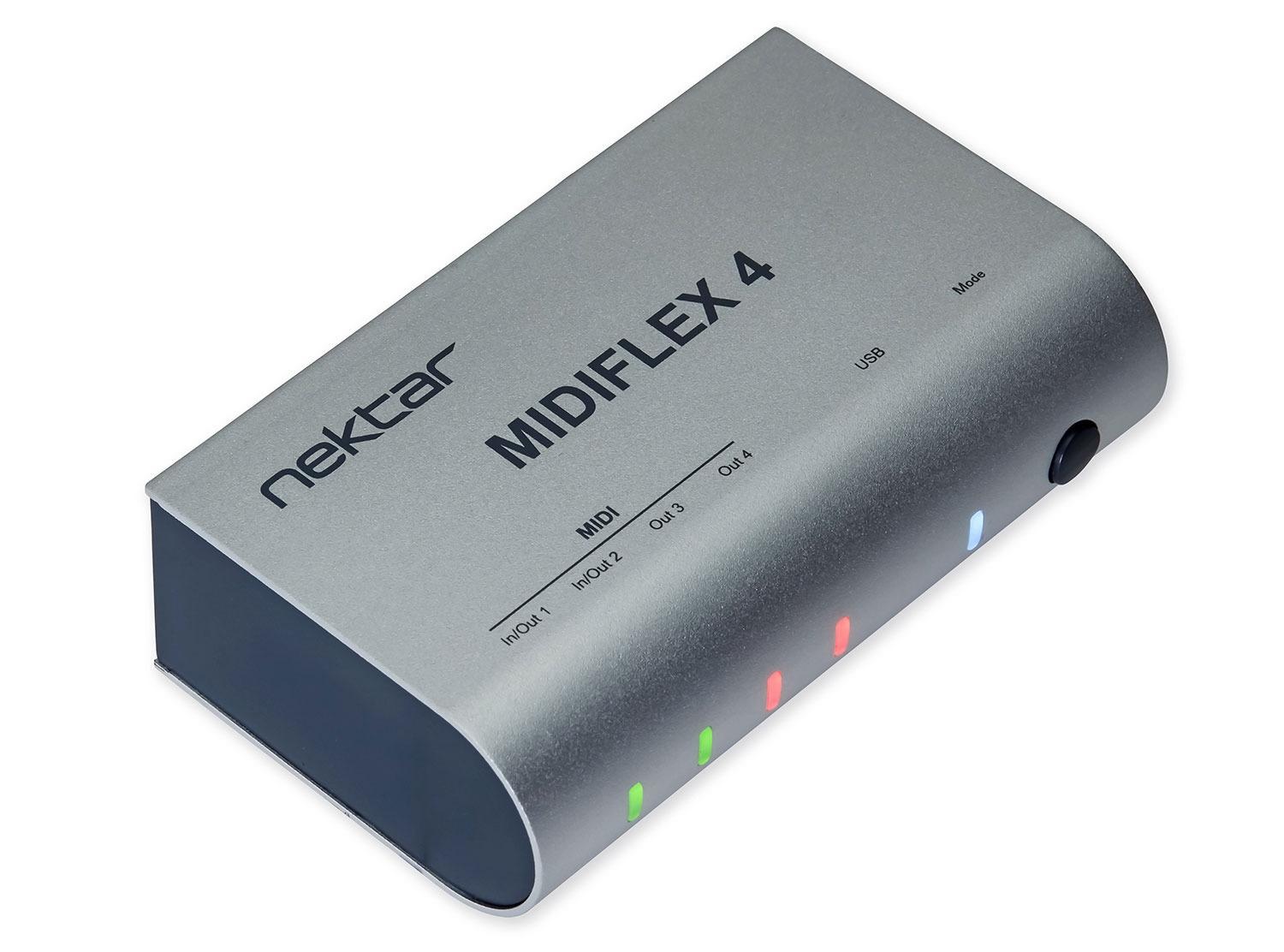
Nektar Midiflex 4 Compact MIDI Interface
Midiflex 4 comes in a road-worthy housing with wrap-around aluminum cover and can easily be adapted to the ever-changing MIDI connection needs in a studio or on the road. It may be used as a 1 in / 3 out, 2 in / 2 out or 4 out interface on Windows, MacOS and iOS. Setup is instant: As MIDIFLEX is USB class-compliant it requires no custom drivers. Most DAWs recognize the ports automatically and the MIDI ports become available in the music software’s track routing options right away. What & #39; s more, Midiflex 4 automatically detects if a MIDI in- our output is connected and displays the setting with its port MIDI indicators. For even more ports, multiple MIDIFLEX units may be used at the same time. Midiflex 4 can also operate stand-alone without a computer connected. In this mode, it works as a MIDI 2-1 merge or 1-3 split box. A dedicated button on the unit ensures easy switching of the modes with instant visual feedback on the 4 MIDI LED indicators. Features: Road-worthy housing with wrap-around aluminum coverIt may be used as a 1 in / 3 out, 2 in / 2 out or 4 out interface on Windows, MacOS and iOS. MIDIFLEX is USB class-compliant it requires no custom driversMost DAWs recognize the portsAutomatically and the MIDI ports become available in the music software’s track routing options right away. Includes USB cable Get your Nektar Midiflex 4 Compact MIDI Interface today at the guaranteed lowest price from Sam Ash with our 45-day return and 60-day price protection policy.
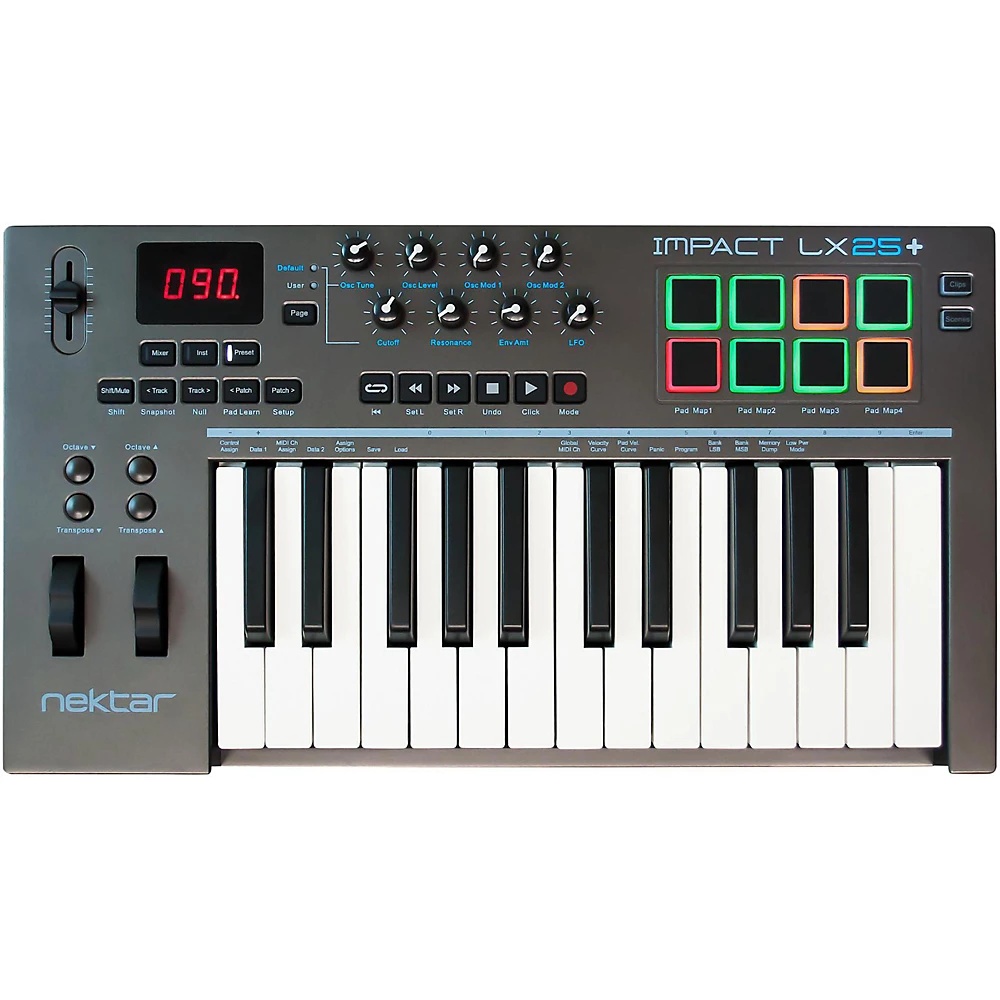
Nektar IMPACT LX25 MIDI Controller
The Impact LX25+ is a compact and portable MIDI controller with intelligent and expressive performance control. Built into the Nektar Impact LX25+ is a DAW Integration unprecedented in controllers of its class. It is custom designed for Bitwig, Cubase, Digital Performer, FL Studio, GarageBand, Logic, Nuendo, Reaper, Reason, Sonar and Studio One, taking the Impact LX25+ beyond functionality normally offered by a USB MIDI controller keyboard. With Impact LX25+ the hard work is done, so you can focus on your creativity. A copy of Bitwig 8-Track is included with your order.ActionThe 25-note velocity sensitive keyboard features synth action with medium tension. The full-size, piano-style keys are covered to protect against dirt and dust while also complementing the Impact LX design. Octave and transpose buttons as well as pitch bend and modulation wheels are within reach, so you can quickly shift the keyboard up or down as needed, or apply additional articulation with the wheels.Control featuresA 30mm fader and 8 pots are at the center of the Impact LX25+ control panel. Each control is fully programmable to send any MIDI CC message for use with hardware or software MIDI products. Used with Nektar DAW integration, the controls take on a life of their own, providing flexible pre-mapped DAW control giving you the best of both worlds. Control settings can be stored in any of the 5 Impact LX25+ presets for recall at any time. And if you switch Null on, any parameter values are stored when you change presets so you avoid parameter jumping.PadsEach pad can be assigned any MIDI note number or MIDI cc message for use as MIDI trigger or toggle buttons. But the best part is the "Pad Learn“ feature, which allows you to just select a pad, play the note or drum sound you want on the keyboard and assignment is done. No complex menus for a task that's essential to getting the most out of your pads. Assignments are stored over power cycling so you don't lose your settings when you switch your system off for the night. In addition, 4 pad map locations can store your settings for future recall.DAW integrationImpact LX25+ software integration supports most of the popular DAWs. A common workflow gives access to many of the functions you are most likely to need when recording and performing with your Impact LX25+. The best part is that it's all done for you: Simply complete the installation process and start making music! Impact LX25+ DAW integration currently supports Cubase, Digital Performer, FL Studio, Garageband, Logic, Nuendo, Reaper, Reason, Sonar and Studio One. Buttons and controls are labeled so you don't have to remember how they are assigned. That’s why Impact LX25+ is a breeze to use but with enough extra features under the hood to challenge even the most experienced power user.
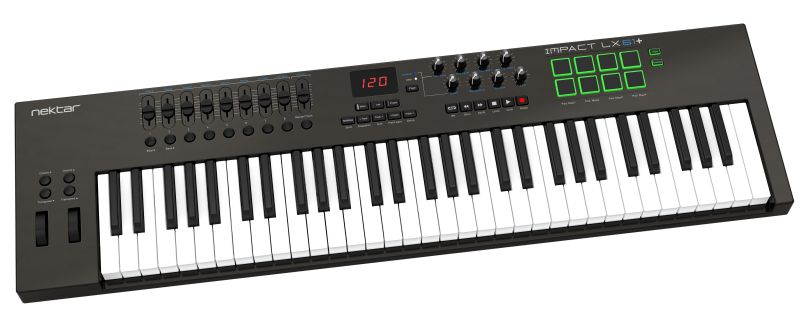
Nektar Impact LX61 Keyboard Controller
The KeyboardThe 49 or 61 note velocity sensitive keyboard is a synth action with a medium tension. The full-size, piano-style keys are covered to protect against dirt and dust while also complementing the Impact LX design. With 4 velocity curves gradually increasing in dynamics there is a choice for any playing style. If you don & #39; t need velocity, 3 fixed velocity levels cater for a consistent output. Octave and transpose buttons as well as pitch bend and modulation wheels are within reach, so you can quickly shift the keyboard up or down as needed, or apply additional articulation with the wheels. The Control CenterNine 30mm faders, 9 MIDI buttons and 8 encoders are at the center of Impact LX49 & #39; s control panel. Each control is fully programmable to send any MIDI CC message for use with hardware or software MIDI products. Used with Nektar DAW integration, the controls take on a life of their own, providing flexible pre-mapped DAW control giving you the best of both worlds. Control settings can be stored in any of the 5 Impact LX+ presets for recall at any time. And if you switch Null on, any parameter values are stored when you change presets so you avoid parameter jumping. The PadsFor groove and beat creation, Impact LX & #39; +s 8 velocity sensitive pads make life easy. Calibrated to trigger at a light touch, finger drumming is suddenly well within reach with a nice and even velocity response. Each pad can be assigned any MIDI note number or MIDI cc message for use as MIDI trigger or toggle buttons. But the best part is the "Pad Learn“ feature, which allows you to just select a pad, play the note or drum sound you want on the keyboard and assignment is done. No complex menus for a task that & #39; s essential to getting the most out of your pads. Assignments are stored over power cycling so you don & #39; t lose your settings when you switch your system off for the night. In addition, 4 pad map locations can store your settings for future recall. Nektar DAW Integration Impact LX49+ and LX61+ software integration supports most of the popular DAWs. A common workflow gives access to many of the functions you are most likely to need when recording and performing with your Impact LX+. The best part is that it & #39; s all done for you: Simply complete the installation process and start making music! Impact LX+ DAW integration currently supports Cubase, Digital Performer, FL Studio, Garageband, Logic, Nuendo, Reaper, Reason, Sonar and Studio One. Buttons and controls are labeled so you don & #39; t have to remember how they are assigned. That’s why Impact LX+ is a breeze to use but with enough extra features under the hood to challenge even the most experienced power user. User Presets & MIDI If you mainly want to use your DAW & #39; s MIDI learn features, Impact LX+ is easy to come to grips with. There are 2 non-overlapping, read-only presets on the Mixer and Instrument buttons so you can quickly switch between independent and unique setups. These presets are also used for Impact LX+ & #39; s integrated DAW support. In addition, 5 user presets are programmed for GM compatible and "learn-friendly" setups plus they can of course be overwritten with your own settings. You for example could set up Impact LX+ for use with Pro Tools or Ableton Live, both of which have limited integration options. Using Impact LX+"s generic MIDI controller capabilities, setups can get you quite farBitwig 8-Track Included Bitwig 8-Track is included with every Impact LX+ so you can start producing, performing, and designing sounds like a pro from day one. Bitwig 8-Track gives you access to over 50 software instruments and effects for use on up to 8 audio or MIDI project tracks, and you can use any 3rd party VST plug-ins you might own, too. The ‘Bitwig Essentials Package’, a highly versatile handpicked selection of loops, clips and samples, is also included to help you get started. So put all that together and you have a powerful sketchpad for your mu
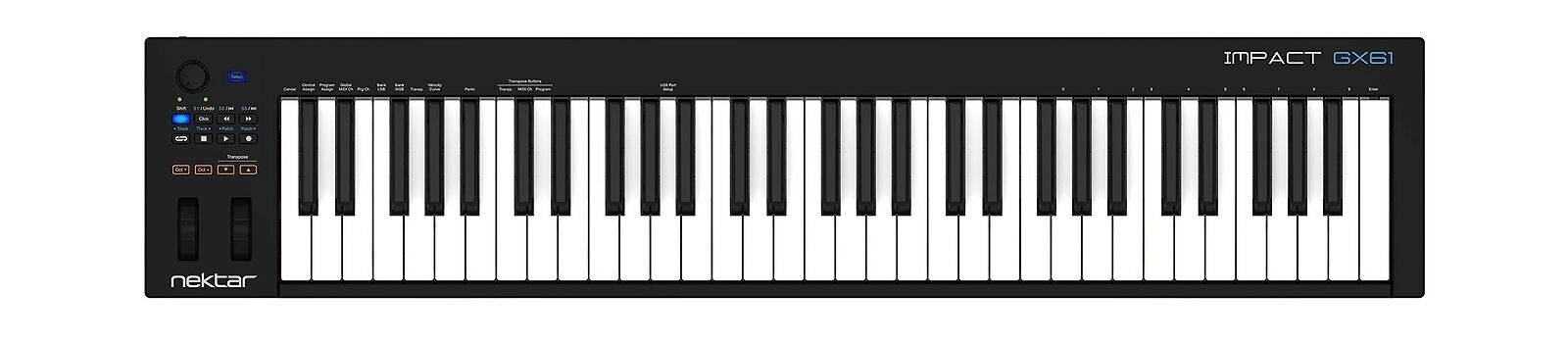
Nektar Impact GX61 Controller Keyboard
Nektar Impact GX61 Controller Keyboard condition: New MPN: Impact GX61 Brand: Nektar EAN: 0859383002299