Trusted shipping
Easy returns
Secure shopping



Buy KVM Switch HDMI 2 Port Box, with USB 2.0 Hub Share 2 Computers with one Keyboard Mouse and one HD Monitor Support UHD 4K@30Hz Support Wireless Keyboard and Mouse in United States - Cartnear.com
KVM Switch HDMI 2 Port Box, with USB 2.0 Hub Share 2 Computers with one Keyboard Mouse and one HD Monitor Support UHD 4K@30Hz Support Wireless Keyboard and Mouse
CTNR1536584 CTNR1536584DIVI
2027-04-15
/itm/kvm-switch-hdmi-2-port-box-with-usb-20-hub-share-2-computers-with-one-keyboard-mouse-and-one-hd-monitor-support-uhd-4k30hz-support-wireless-keyboard-and-mouse-1536584
USD
52.81
$ 53 $ 54 2% Off
Item Added to Cart
customer
*Product availability is subject to suppliers inventory

SHIPPING ALL OVER UNITED STATES

100% MONEY BACK GUARANTEE

EASY 30 DAYSRETURNS & REFUNDS

24/7 CUSTOMER SUPPORT

TRUSTED AND SAFE WEBSITE

100% SECURE CHECKOUT
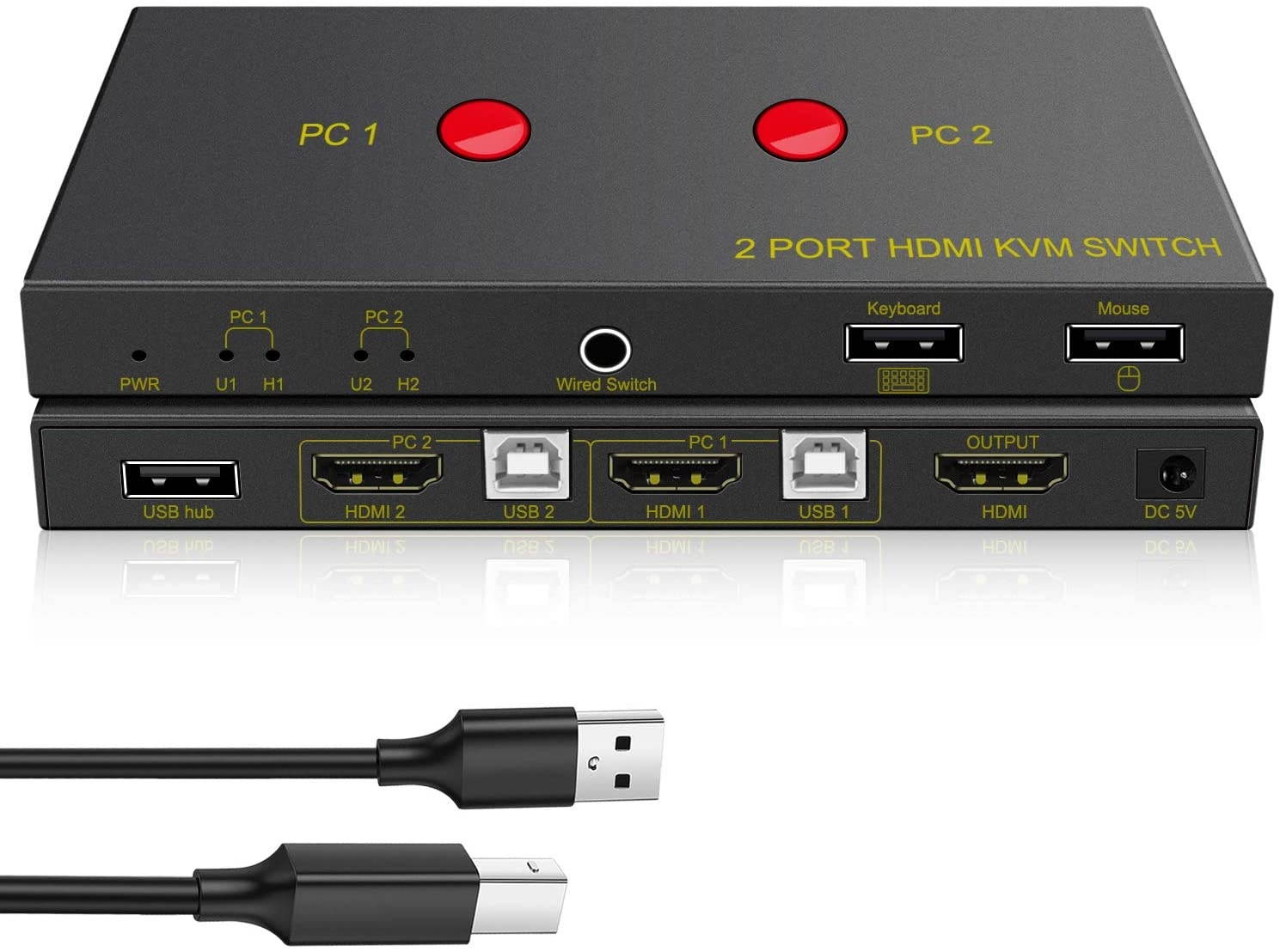
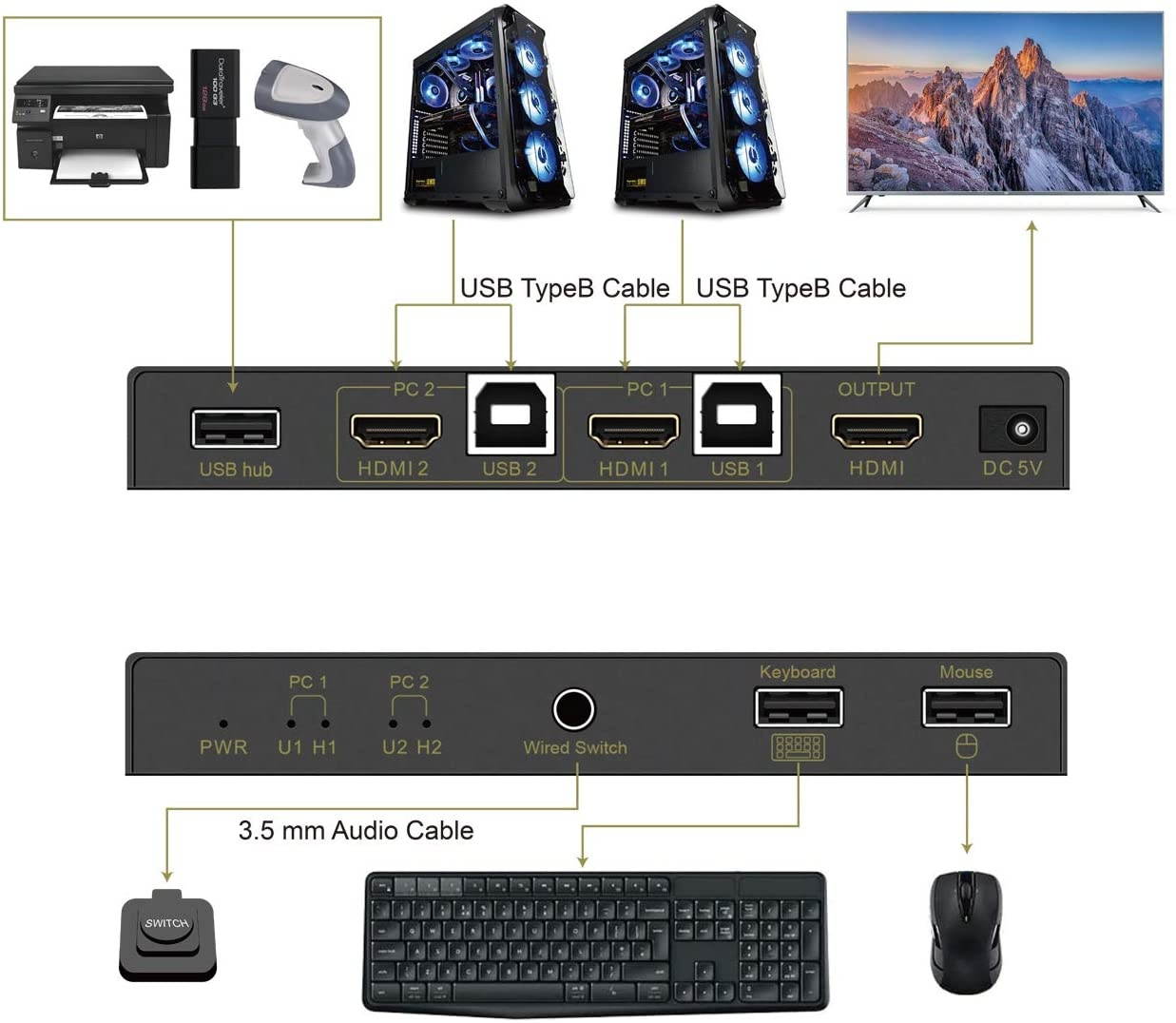
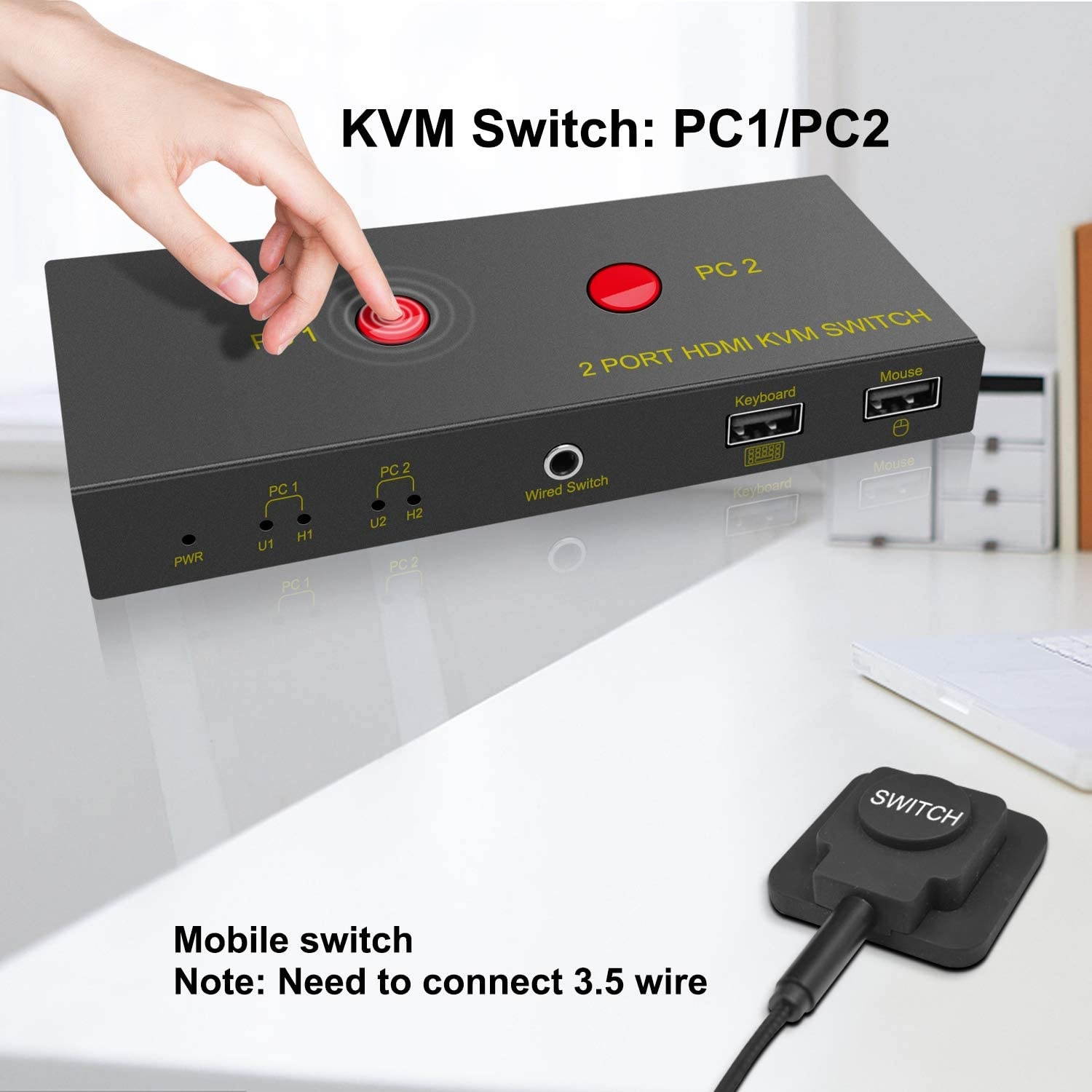
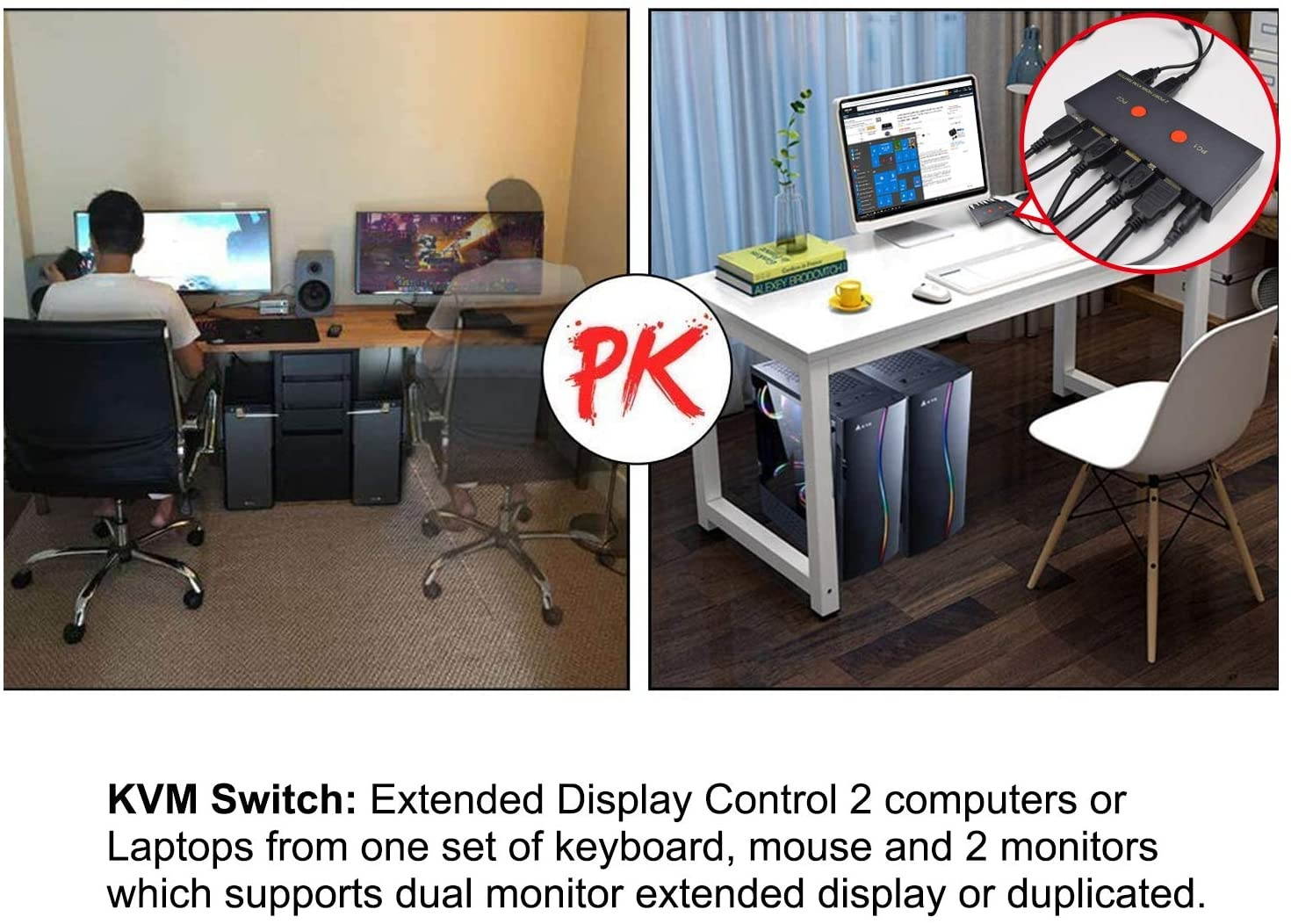
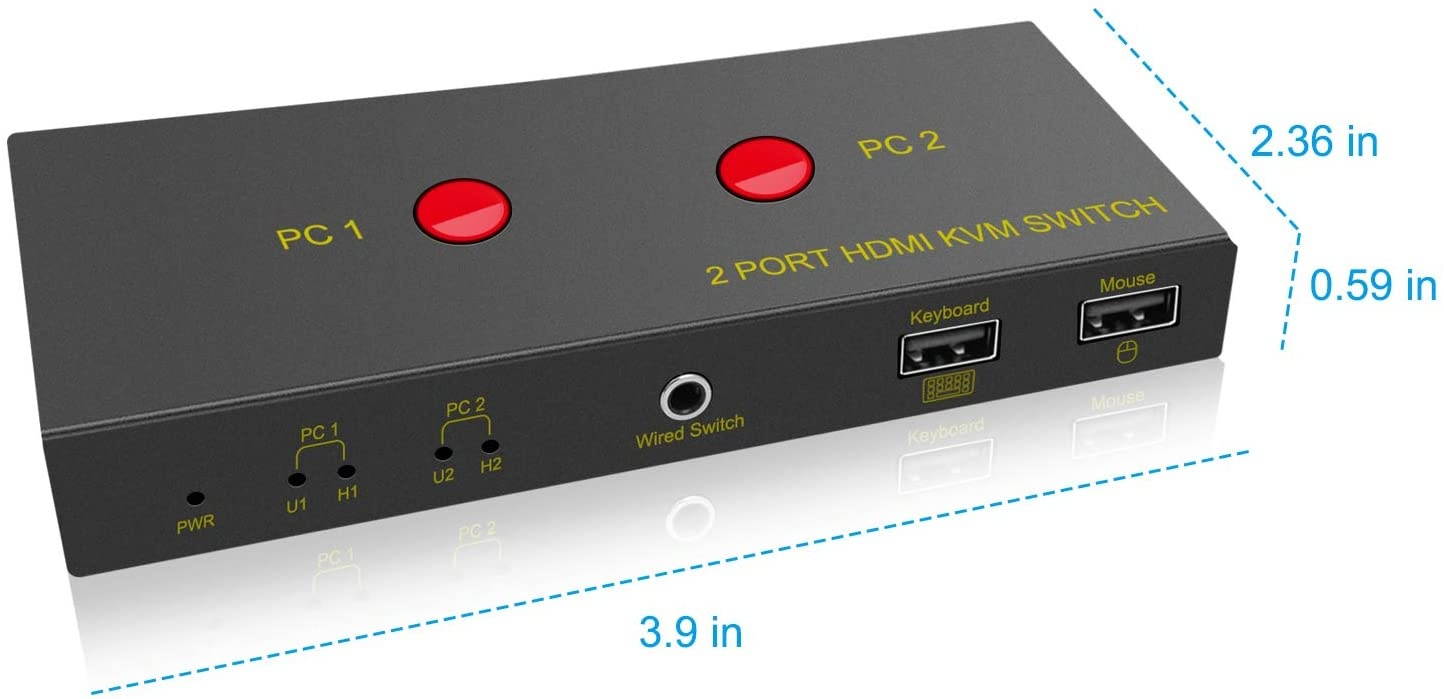
KVM Switch HDMI The HDMI KVM switch enables two hosts to share a set of mouse and keyboard and the same printer. There are two kinds of switching methods, manual switching and remote control switching. This HDMI KVM switch can supply power in order to ensure sufficient and stable power supply you also can supply power through the power supply port, so that your work is simple. Convenient and quick(Note:
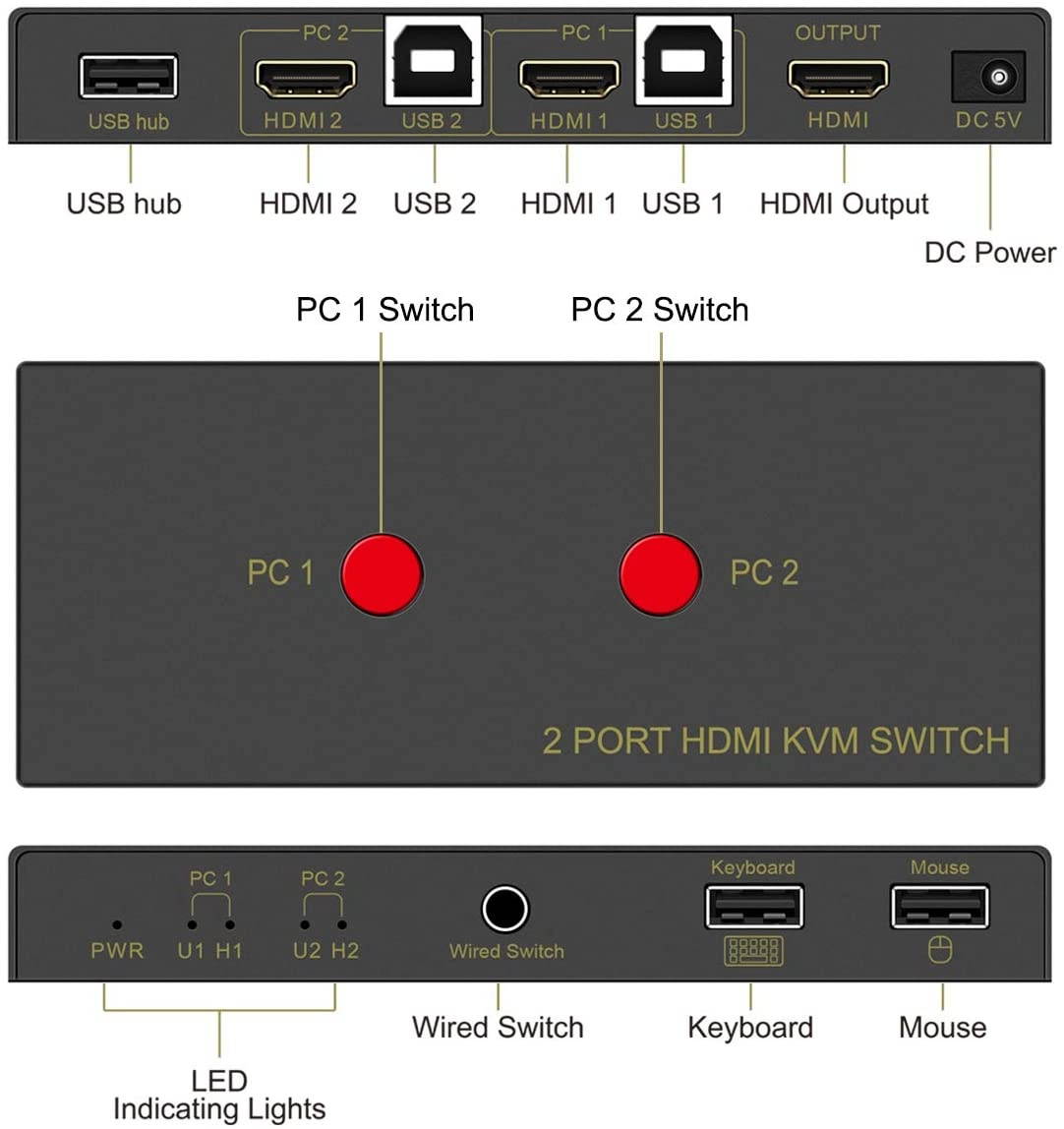
The power adapter is not included in the package)Features ? Support USB1.1 and 2.0. ? Support HDMI 1.4. ? HDMI interface has the highest resolution of 3640x2160@30Hz. ? Support port insertion scan function. ? Support Windows, Mac, Linux system. ? No need to install the driver, you can switch the computer host through the switch button to select the required operation. ? LED indicating lights are used for monitoring status. ? Support hot plug. ? Switching interval about 3 seconds.Operations Step1:
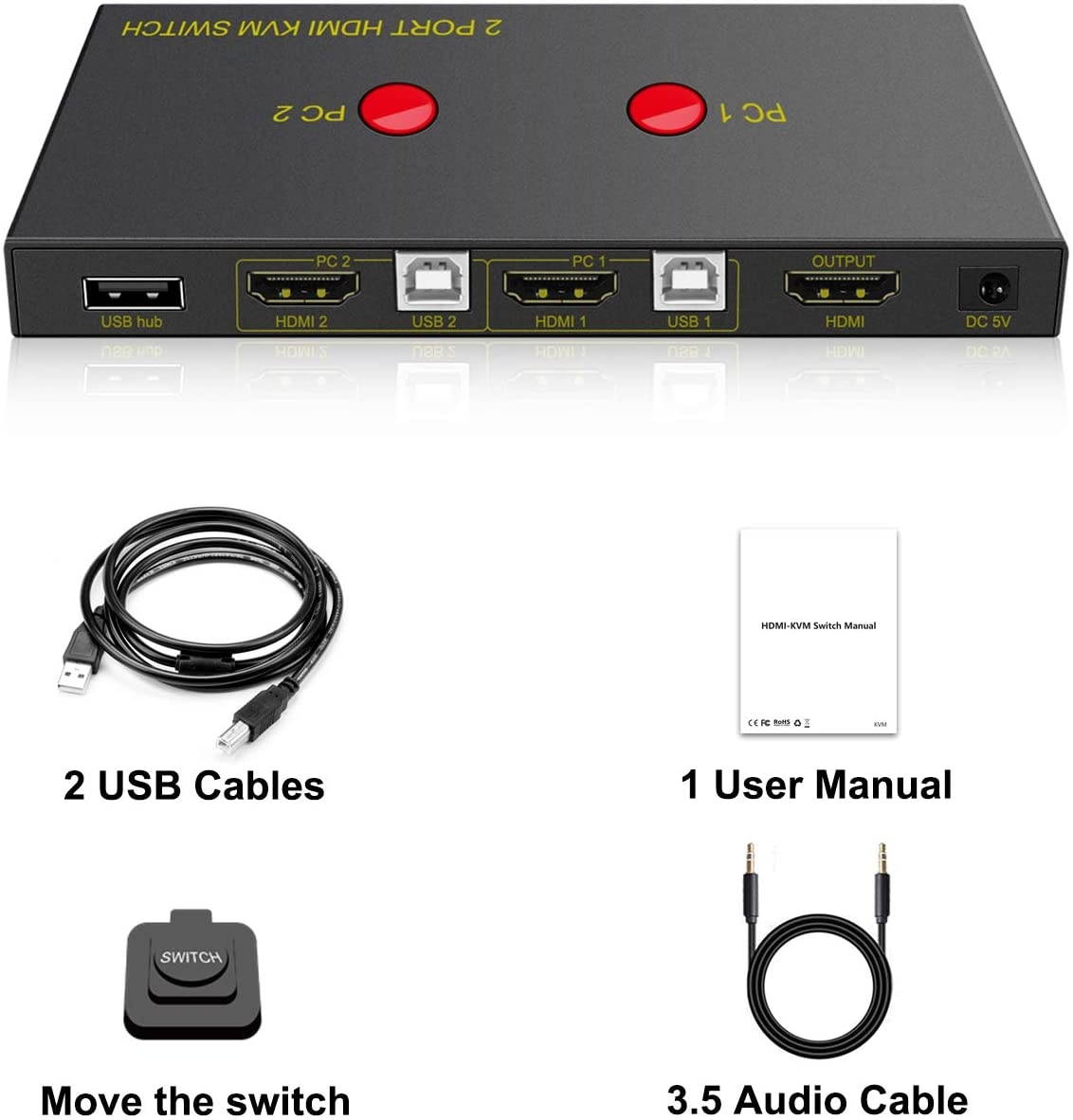
Use 1PC HDMI and USB cable connect PC 1 (HDMI 1 and USB 1) ports to one computer host .Connect PC 2 (HDMI 2 and USB 2) ports to another computer host in the same way.." Step 2:
Use 1PC HDMI cable connect HDMI output port to display HDMI port.. Step 3:
Connect to keyboard port. Step 4:
Connect to mouse port. Step 5:
Connect to DC 5V 1A power adapter.Package Contents1 x 2 ports HDMI KVM switch 1 x 2 USB B male cable 1 x 3.5mm audio cable 1 x Converter button 1 x User manualNotes Before connecting, please check whether your computer host have HDMI port? Once it don t have, please match with related HDMI adapter(Note:
The package does not include) Please check your computer host resolution whether is match with your display?Once your computer host resolution is bigger than your display, the display screen will show incomplete.Once your computer host resolution is smaller than your display, there will hHave a question?Find answers in product info, Q&As, reviews
The power adapter is not included in the package)Features ? Support USB1.1 and 2.0. ? Support HDMI 1.4. ? HDMI interface has the highest resolution of 3640x2160@30Hz. ? Support port insertion scan function. ? Support Windows, Mac, Linux system. ? No need to install the driver, you can switch the computer host through the switch button to select the required operation. ? LED indicating lights are used for monitoring status. ? Support hot plug. ? Switching interval about 3 seconds.Operations Step1:
Use 1PC HDMI and USB cable connect PC 1 (HDMI 1 and USB 1) ports to one computer host .Connect PC 2 (HDMI 2 and USB 2) ports to another computer host in the same way.." Step 2:
Use 1PC HDMI cable connect HDMI output port to display HDMI port.. Step 3:
Connect to keyboard port. Step 4:
Connect to mouse port. Step 5:
Connect to DC 5V 1A power adapter.Package Contents1 x 2 ports HDMI KVM switch 1 x 2 USB B male cable 1 x 3.5mm audio cable 1 x Converter button 1 x User manualNotes Before connecting, please check whether your computer host have HDMI port? Once it don t have, please match with related HDMI adapter(Note:
The package does not include) Please check your computer host resolution whether is match with your display?Once your computer host resolution is bigger than your display, the display screen will show incomplete.Once your computer host resolution is smaller than your display, there will hHave a question?Find answers in product info, Q&As, reviews