


Buy Teach Yourself Visually Macbook Pro and Macbook Air - 5th Edition by Guy Hart-Davis (Paperback) in United States - Cartnear.com
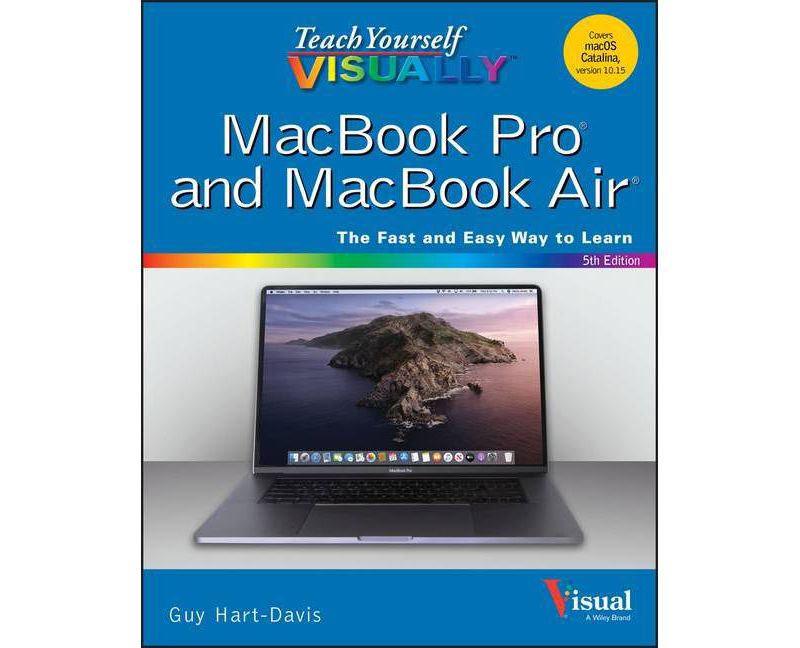
Teach Yourself Visually Macbook Pro and Macbook Air - 5th Edition by Guy Hart-Davis (Paperback)
CTNR56349 09781119683896 CTNR56349$ 22.93 $ 23.64 3% Off
*Product availability is subject to suppliers inventory

SHIPPING ALL OVER UNITED STATES

100% MONEY BACK GUARANTEE

EASY 30 DAYSRETURNS & REFUNDS

24/7 CUSTOMER SUPPORT

TRUSTED AND SAFE WEBSITE

100% SECURE CHECKOUT
Genre: Computers + Internet
Sub-Genre: Hardware
Series Title: Teach Yourself Visually
Format: Paperback
Publisher: Visual
Age Range: Adult
Book theme: Personal Computers, Macintosh
Author: Guy Hart-Davis
Language: English
Book Synopsis
The visual learner's ultimate guide to the MacBook Pro, MacBook Air and macOS Catalina
Teach Yourself VISUALLY MacBook is your ultimate guide to getting up and running quickly with your new MacBook Pro or MacBook Air! Whether you're new to computers or transitioning from a PC, this graphics-heavy guide will show you everything you need to know to get the most out of your new laptop. Clear, step-by-step instructions walk you through each task, with screenshots that help you follow along with confidence. You'll learn how to manage files, work with macOS software, organize photos and media, set up email, access the internet, and adjust settings and preferences to make your MacBook work the way you work. You'll also explore the features that bring computing to a whole new level, including iCloud, FaceTime, the App Store, and so much more!
The Mac has long inspired a legion of loyal fans, and you're about to find out why. From sleek design to intuitive interface, to an OS that just works, Apple has cornered the market on the high-end computing experience. The MacBook makes sublime computing portable, and this book shows you how to take advantage of all that your MacBook has to offer.
MacOS Catalina gives you more of everything you love about Mac. Prepare yourself to experience music, TV, and podcasts in newly designed Mac apps. You can now enjoy your favorite iPad apps on Mac, and even extend your workspace and expand your creativity with iPad and Apple Pencil. Packed with new features and updates to the apps Apple users love, you can now take everything you do up the next level.
- Get acquainted with the latest macOS version Cataline, and its new features
- Perform everyday tasks quickly and easily
- Customize preferences and settings to suit your needs
- Download new apps, video chat, save to the cloud, and much more!
No confusing tech-speak, no vague instructions, and no complex tangents into obscure tasks. This friendly guide is packed with screenshots, easy-to-follow instructions, and a practical sensibility; you're not launching the space shuttle, you just want to open your email. If you're ready to explore all that your MacBook can do, Teach Yourself VISUALLY MacBook is your ideal companion.
From the Back Cover
Are you a visual learner? Do you prefer instructions that show you how to do something -- and skip the long-winded explanations? If so, then this book is for you. Open it up and you'll find clear, step-by-step screen shots that show you how to tackle more than 150 tasks on your MacBook Pro or MacBook Air. Each task-based spread covers a single technique, sure to help you get up and running on your MacBook in no time.
You'll learn to:
- Sail through your everyday tasks
- Exploit macOS and its built-in apps
- Chat, email, and make video calls
- Enjoy, edit, and share your photos
- Troubleshoot MacBook problems
Designed for visual learners
- Two-page lessons break big topics into bite-sized modules
- Succinct explanations walk you through step by step
- Full-color screenshots demonstrate each task
- Helpful sidebars offer practical tips and tricks
About the Author
Guy Hart-Davis (Barnard Castle, UK) is the author of more than 100 computing books, including Teach Yourself VISUALLY iMac, Teach Yourself VISUALLY iPhone, and Teach Yourself VISUALLY iPad. He also writes about PCs, Windows, Linux, and VBA.


